
Studio Monitors For Mixing And Mastering

Studio monitors play a critical role in the accuracy and quality of audio production, especially during mixing and mastering.
Unlike regular speakers, they are designed to reproduce sound with minimal coloration, delivering a flat frequency response that reveals every detail in a recording. This transparency allows engineers to make precise adjustments, ensuring tracks translate well across all playback systems.
Choosing the right monitors involves considering factors like driver size, room acoustics, and intended use. From nearfield to midfield designs, each type offers specific advantages. Understanding their capabilities is essential for achieving professional, polished results in any studio environment.
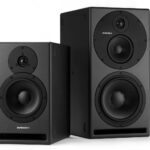 Studio Reference Monitors
Choosing the Right Studio Monitors for Mixing and Mastering
Selecting the appropriate studio monitors is a critical step in achieving professional results in both mixing and mastering. Unlike consumer speakers, studio monitors are designed to provide a flat frequency response, meaning they don’t artificially enhance or color the sound.
This accuracy allows audio engineers and producers to hear exactly what’s in the recording, making informed decisions about balance, effects, and spatial placement. For mixing, it's essential to use monitors that reveal subtle details such as phase issues, masking, or imbalances across frequency ranges.
In mastering, where the final stereo file is polished and prepared for distribution, monitors must offer exceptional clarity, detail, and low-end precision to spot minor imperfections that could affect playback across different systems. Room acoustics, speaker placement, and listening position also greatly influence monitor performance, so integrating acoustic treatment and proper setup is crucial to get the most out of your studio monitors.
Understanding Frequency Response and Accuracy
A key factor in selecting studio monitors for mixing and mastering is their frequency response and overall accuracy. Professional monitors aim for a flat or neutral response across the audible spectrum—typically from 20 Hz to 20 kHz—ensuring that no particular frequency range is emphasized or diminished.
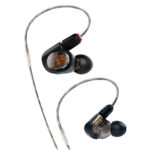 Studio Tuned In-ear Monitors
This neutrality allows engineers to make critical mixing decisions based on what they’re actually hearing, not on how the speaker colors the sound. High-end monitors often feature advanced crossover designs and precision drivers to maintain phase coherence and time alignment, which contributes to a more transparent and reliable sound image.
In mastering, where sub-bass frequencies or high-frequency roll-offs can affect how music translates across devices, having a monitor with tight bass reproduction and extended highs is vital. Monitors equipped with broad dispersion patterns and low distortion help deliver a consistent sonic representation, regardless of listening position or volume level.
Active vs. Passive Studio Monitors
The distinction between active and passive studio monitors is an important consideration when building a professional audio setup. Active monitors have built-in amplifiers, one for each driver (e.g., tweeter and woofer), and often include integrated crossover networks, making them easier to set up and optimize for a studio environment.
These monitors are engineered to pair precisely between drivers and amplifiers, ensuring maximum transient response and dynamic control, which is essential for detailed mixing and mastering work. Passive monitors, in contrast, require external amplifiers and proper impedance matching, adding complexity and cost.
 Truth B2031a Studio Monitor
While passive systems offer some customization, most modern high-quality studio monitors are active because they deliver consistent performance, better integration, and require less calibration effort. For mastering engineers—who demand the highest fidelity—active monitors with bi-amping or tri-amping configurations are often the preferred choice due to their enhanced clarity and precision.
The Role of Room Acoustics and Speaker Placement
Even the most accurate studio monitors can deliver misleading results if placed in an untreated or poorly designed room. Sound reflections, standing waves, and bass build-up can drastically affect frequency perception, making mixes sound unbalanced in other environments.
Proper speaker placement—forming an equilateral triangle with the listening position, positioning tweeters at ear level, and angling monitors inward—helps create a focused stereo image and reduces phase issues. Additionally, acoustic treatment such as bass traps, diffusers, and absorption panels manages early reflections and improves low-frequency response.
Advanced users may use measurement tools and software like room correction systems (e.g., Sonarworks, AutoEQ) to further calibrate monitors to their specific listening environment. Ensuring that your monitors interact optimally with the room leads to more reliable judgments during the mixing and mastering process, ultimately improving the translation of audio across playback systems.
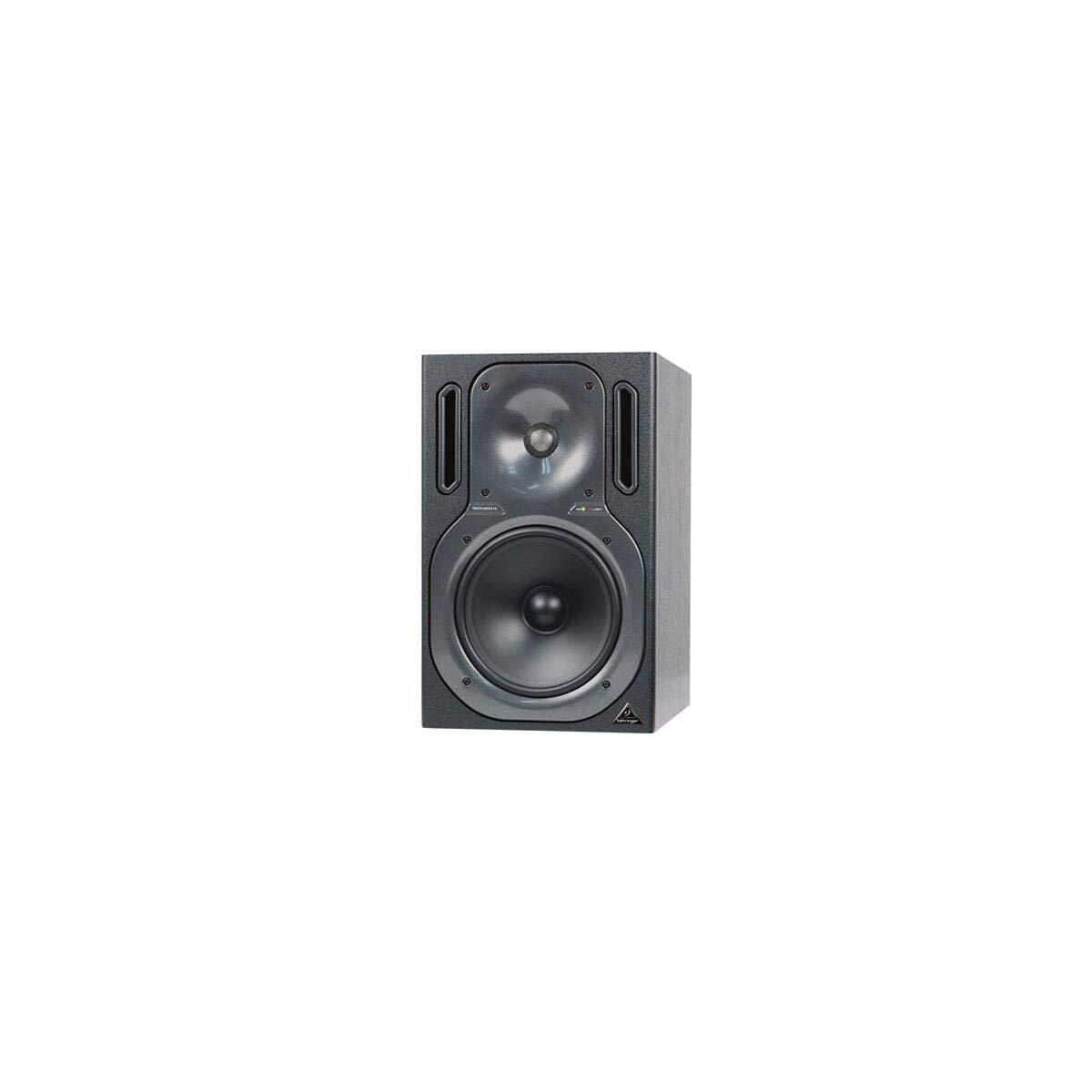 Truth B2031a Studio Monitors
| Feature | Importance in Mixing | Importance in Mastering |
|---|---|---|
| Flat Frequency Response | Ensures balanced EQ decisions and identifies masking issues | Critical for detecting tonal imbalances in the final master |
| Low Distortion | Allows clear perception of dynamics and transients | Reveals subtle artifacts or compression side-effects |
| Precise Stereo Imaging | Essential for panning and spatial effects placement | Ensures accurate representation of stereo width and depth |
| Extended Low-End Response | Helps control bass levels and avoid muddiness | Crucial for mastering decisions on sub-bass content |
| Room Calibration Support | Improves consistency across different listening environments | Vital for achieving translation accuracy on all systems |
Frequently Asked Questions
What are the best studio monitors for mixing and mastering?
The best studio monitors for mixing and mastering offer accurate sound reproduction, flat frequency response, and minimal coloration. Popular choices include the Yamaha HS8, KRK Rokit 8, Genelec 8030C, and Focal Shape 65.
These models provide clarity, detail, and consistent performance across frequencies, essential for critical audio work. Choosing the right monitor depends on room size, budget, and listening preferences, but accuracy and reliability are key for professional results.
Do I need studio monitors for mastering?
Yes, studio monitors are essential for mastering because they provide a transparent, uncolored sound that reveals every detail in the audio. Mastering requires extreme precision, and consumer speakers or headphones may misrepresent frequencies.
High-quality studio monitors allow engineers to make accurate adjustments to EQ, dynamics, and stereo imaging. Pairing them with proper acoustic treatment ensures consistent results that translate well across different playback systems and environments.
 Two Way Studio Monitor
How important is room acoustics when using studio monitors for mixing?
Room acoustics are crucial when using studio monitors for mixing because sound reflections, standing waves, and reverberation can distort what you hear. Even the best monitors perform poorly in untreated rooms.
Proper acoustic treatment—like bass traps, diffusers, and absorption panels—ensures a neutral listening environment. This allows for accurate frequency response and stereo imaging, leading to better mixing decisions and mixes that translate well on various playback systems.
Should I use near-field or far-field monitors for mixing and mastering?
For most home and project studios, near-field monitors are ideal for mixing and mastering because they are placed close to the listener, reducing room acoustics' impact.
They provide clearer, more direct sound with less interference. Far-field monitors are larger and designed for bigger rooms, often used in professional studios. Unless you have a large, acoustically treated space, near-field monitors offer better accuracy and control for detailed audio work.
 Vintage Studio Monitor Speakers
Leave a Reply