
What are the best eq settings

Finding the best EQ settings can transform your listening experience, whether you're using headphones, speakers, or a car audio system. Equalization adjusts the balance between frequency components in audio, allowing you to enhance bass, clarify vocals, or reduce harshness in highs.
While ideal settings vary based on equipment, room acoustics, and personal taste, understanding frequency ranges—bass, midrange, and treble—provides a solid foundation. Tailoring EQ to different genres, such as boosting mids for rock or emphasizing lows for hip-hop, further refines sound quality. This article explores effective EQ configurations and practical tips for achieving optimal audio performance across various listening environments.
What Are the Best EQ Settings for Optimal Audio Quality?
Finding the best EQ settings depends on several factors including the type of audio you're listening to, the playback equipment, the listening environment, and your personal preferences.
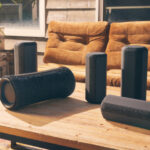 Sony Bluetooth Speakers How To Connect
Equalization (EQ) adjusts the balance between frequency components within an audio signal, allowing you to boost or cut specific frequencies to enhance sound quality. While there's no universal perfect EQ configuration, certain general principles and settings can significantly improve clarity, depth, and overall listening experience across various genres and systems.
Understanding your audio source and monitoring setup is key—what sounds great on studio headphones might be overwhelming on small laptop speakers. The goal is not to maximize every frequency but to achieve a balanced, natural sound where no single range dominates unnecessarily. Adjustments should be subtle; small changes can make a big difference without introducing distortion or muddiness.
Understanding Frequency Bands and Their Audio Impact
Each part of the audio frequency spectrum contributes differently to the overall sound, and knowing what each band controls is essential for effective EQing. The bass range (20–250 Hz) affects the low-end power and fullness of music—boosting too much here can lead to muddy sound, while cutting can make music feel thin.
The low-mid range (250 Hz–1 kHz) influences warmth and body; overemphasis may cause a 'boxy' sound. The midrange (1–4 kHz) is crucial for clarity and presence; vocal intelligibility and instrument definition live here, so subtle boosts can make a track more engaging.
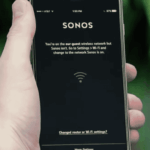 Sonos Wireless Speakers How To Connect
The upper-mid to high frequencies (4–8 kHz) control brightness and attack, but overboosting can result in harshness or ear fatigue. Finally, the treble range (8–20 kHz) adds airiness and sparkle—ideal for open, spacious mixes but problematic if exaggerated. Properly balancing these bands ensures a full, detailed, and enjoyable listening experience across devices.
Recommended EQ Settings by Music Genre
Different music genres benefit from tailored EQ adjustments to highlight their defining characteristics. For example, hip-hop and electronic music often thrive with a slight boost in the sub-bass (around 60 Hz) and a gentle lift in the high end (12–16 kHz) to emphasize beats and crispness. Rock music usually sounds best with a balanced midrange (around 1–3 kHz) to bring out electric guitars and vocals, while a moderate bass boost at 100 Hz adds punch.
Jazz and classical works favor flat or near-flat EQ settings to preserve natural dynamics and instrument separation, with only slight enhancements (e.g., +2 dB at 10 kHz) to add air. Pop music often benefits from a slight vocal presence boost at 3–5 kHz and a defined low end around 80 Hz for rhythmic clarity. The table below illustrates recommended EQ adjustments by genre to help guide optimal settings based on content type.
| Genre | Low End (20–250 Hz) | Mids (250 Hz–4 kHz) | Highs (4–20 kHz) |
|---|---|---|---|
| Hip-Hop/Electronic | +3 to +5 dB @ 60 Hz | Slight cut at 300 Hz | +2 dB @ 12–16 kHz |
| Rock | +2 dB @ 80–100 Hz | +2 to +3 dB @ 2–3 kHz | Flat or +1 dB @ 10 kHz |
| Jazz/Classical | Flat or +1 dB @ 100 Hz | Flat for natural tone | +1 to +2 dB @ 10 kHz for air |
| Pop | +2 dB @ 80 Hz | +2 dB @ 3–5 kHz for vocals | +1 dB @ 8–12 kHz |
How to Adjust EQ Settings for Different Listening Devices
The best EQ settings also vary greatly depending on the playback device, as each has unique acoustic characteristics. Over-ear headphones typically have strong bass response, so reducing frequencies below 60 Hz slightly can prevent boominess, while boosting 8–10 kHz can enhance detail.
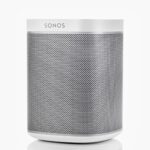 Sonos Speakers Play 1 How To Connect
In-ear monitors often emphasize mids and upper mids, so a gentle cut around 4 kHz may reduce harshness. Smartphones and laptops with small speakers usually lack bass and high-end extension—adding a moderate boost at 100 Hz and 15 kHz can improve perceived fullness and clarity.
Car audio systems may suffer from road noise and cabin resonance, so a parametric EQ helps target problem frequencies (e.g., cutting 200–300 Hz to reduce muddiness caused by internal reflections). Use reference tracks you know well to test adjustments, ensuring changes improve accuracy rather than distort the original mix. Tailoring the EQ to your device ensures a more enjoyable, balanced sound regardless of your setup.
Best EQ Settings: A Comprehensive Guide to Optimal Audio Tuning
What are the ideal EQ settings for optimal sound quality?

Understanding Frequency Bands and Their Roles in Sound Quality
- Low frequencies (20Hz - 250Hz): This range includes the bass and sub-bass components of audio. Proper adjustment here ensures a solid foundation without muddiness. Boosting too much can make the sound boomy, while cutting too much results in a thin, lifeless audio experience.
- Midrange frequencies (250Hz - 4kHz): This band houses most vocals and instruments. A balanced midrange ensures clarity and presence. Overemphasizing the lower mids can create a muddy sound, while boosting the upper mids enhances vocal intelligibility but may lead to harshness.
- High frequencies (4kHz - 20kHz): This range includes cymbals, sibilance, and air in the music. A slight boost can add sparkle and detail, but excessive highs cause listening fatigue. Cutting this range slightly can reduce harshness, especially in compressed audio files.
Default vs. Custom EQ Settings: Finding Your Sweet Spot
- Start with a flat EQ (all levels at 0dB) to assess the natural sound signature of your headphones, speakers, or room. This baseline allows you to identify which frequencies may need adjustment based on your listening environment or personal taste.
- Adjust based on content type: Music genres vary widely—classical may benefit from a more natural, flat curve, while electronic music often thrives with boosted bass and crisp highs. Podcasts may require a midrange emphasis for voice clarity.
- Use reference tracks: Select well-recorded songs you know well to test EQ changes. These tracks help you judge whether your adjustments enhance or degrade the audio, ensuring consistency across different listening sessions.
Room Acoustics and Hardware Influence on EQ Calibration
- Room reflections and furniture placement can exaggerate or dampen certain frequencies. Hard surfaces may amplify high-mid and high frequencies, requiring slight attenuation, while carpeted rooms might absorb highs, needing a subtle boost to maintain detail.
- Speaker or headphone quality significantly affects EQ needs. High-end gear often requires minimal correction, while budget equipment may need more pronounced adjustments to compensate for frequency response irregularities.
- Use measurement tools when possible: A calibrated microphone and software like Room EQ Wizard can analyze frequency response in your space, allowing precise corrections rather than relying on guesswork for optimal sound balance.
What EQ settings provide the best bass enhancement?

 Sonos Speakers How To Connect To Wifi
Understanding Frequency Ranges for Optimal Bass Enhancement
- To effectively enhance bass, it is essential to focus on the low-frequency range, typically between 20 Hz and 250 Hz. The sub-bass region (20–60 Hz) provides deep, rumbling tones, while the upper bass (60–250 Hz) contributes to punch and body in music.
- Boosting frequencies below 40 Hz can add a sense of power, especially in genres like EDM or hip-hop, but care must be taken as excessive amplification in this range may cause distortion or overpower other elements.
- Adjusting the 80–120 Hz range often results in a fuller, more present bass that is easily perceived on most consumer speakers and headphones, making it a critical zone for balanced enhancement.
Recommended EQ Settings for Different Listening Devices
- For over-ear headphones, increasing the 50–80 Hz range by +3 to +6 dB can produce rich, immersive bass without muddying midrange frequencies, especially if the headphones have strong low-end response.
- In car audio systems, a slight boost around 60 Hz combined with careful adjustment around 120 Hz helps overcome road noise and cabin resonance, delivering a tighter and more impactful bass experience.
- With portable speakers, which often roll off deep bass, applying a moderate boost at 100 Hz and a small shelf at 150 Hz can simulate a fuller low end while maintaining clarity, though excessive boosting should be avoided to prevent distortion.
Techniques to Avoid Common Bass Enhancement Mistakes
- Applying too much gain at multiple low frequencies simultaneously can lead to masking, where bass overpowers vocals and instruments; it's better to make narrow, surgical boosts rather than broad increases.
- Always use a high-pass filter around 30–40 Hz to eliminate inaudible subsonic content that wastes amplifier power and can cause speaker damage, especially in small playback systems.
- Use EQ in conjunction with volume balancing—increasing bass too much may require lowering overall volume to maintain dynamic range, ensuring a more natural and enjoyable listening experience.
What are the optimal EQ settings for iPhone audio performance?
Best EQ Presets for Enhanced Audio on iPhone
- One of the most effective EQ presets for general listening is the Flat setting, which disables any audio enhancement and delivers a neutral sound profile, ideal for accurately reproducing the original recording.
- For users who prefer more bass, especially when listening to hip-hop or electronic music, the Bass Booster preset provides improved low-frequency response without overwhelming mids and highs.
- Alternatively, the Acoustic or Classical preset enhances midrange clarity and treble, making it a good choice for genres like jazz, classical, or acoustic singer-songwriter tracks where instrument separation is important.
How to Access and Customize EQ Settings on iPhone
- To adjust EQ settings, open the Settings app, go to Music, then tap on EQ under the Playback section to access the built-in equalizer options.
- After selecting a preset, you can switch it in real time while playing music to hear how it affects audio output through different headphones or speakers.
- For more precision, users can install third-party music apps that offer customizable EQ bands, allowing manual adjustment of frequency ranges for a personalized sound tailored to individual hearing preferences or headphone characteristics.
Impact of Headphones and Audio Source on EQ Performance
- Different headphones respond uniquely to EQ adjustments; high-fidelity models may reveal subtle enhancements, while budget earbuds might distort if bass is boosted excessively.
- The quality of the audio file also plays a crucial role—lossless or high-bitrate files benefit more from EQ tuning, as compressed tracks (like low-bitrate MP3s) may sound harsh or thin when amplified at certain frequencies.
- Environmental factors such as background noise may influence ideal EQ settings; for example, using slight treble boost in noisy environments can help vocals cut through ambient sounds more clearly.
What EQ settings provide the clearest sound quality?

Understanding Frequency Bands and Their Impact on Clarity
- The human hearing range spans from 20 Hz to 20,000 Hz, and each segment of this spectrum contributes uniquely to sound clarity. The bass frequencies (20–250 Hz) provide depth and power but can muddy clarity if boosted excessively. Precision in this range ensures instruments like kick drums and bass guitars are felt without overwhelming other elements.
- The midrange (250 Hz – 4,000 Hz) is crucial for vocal and instrumental definition. This is where most intelligibility occurs; frequencies around 1,000–2,000 Hz affect presence and projection. A slight boost here can make voices and central instruments more distinct, particularly in complex musical passages.
- The high frequencies (4,000 Hz – 20,000 Hz) contribute to brightness, air, and fine detail. Enhancing the upper mids and highs (5,000–10,000 Hz) can improve articulation of cymbals, vocals, and string overtones. However, over-amplification may introduce harshness or sibilance, reducing perceived clarity.
Optimal EQ Adjustments for Neutral, Clear Sound
- A flat EQ setting—where all frequencies are at 0 dB—is often best for accurate sound reproduction, particularly when using high-quality audio sources and equipment. This preserves the original mix as intended by the audio engineers and minimizes coloration.
- If the sound feels too muddy, a high-pass filter around 60–80 Hz can remove sub-bass rumble that doesn’t contribute melodic content, reducing low-end clutter. Similarly, a slight dip around 300 Hz can reduce boxiness in vocals and guitars, enhancing overall transparency.
- To accentuate clarity without causing fatigue, a gentle boost (1–3 dB) between 2,000 Hz and 6,000 Hz can increase definition in vocals and lead instruments. Pairing this with a small cut in the 800–1,200 Hz region reduces muddiness, promoting a cleaner midrange.
Adapting EQ to Your Listening Environment and Gear
- The acoustic properties of a room significantly affect sound quality. Hard surfaces can cause reflections that emphasize certain frequencies, while soft furnishings absorb highs. Using EQ to compensate for room-specific resonances, such as reducing frequencies where standing waves occur, helps achieve clearer output.
- Low-quality headphones or speakers often have uneven frequency responses, emphasizing bass or dulling highs. Applying corrective EQ settings based on measured performance data (such as from resources like InnerFidelity or Rtings) can balance these flaws and restore clarity.
- Personal hearing sensitivity varies—many people experience reduced high-frequency perception with age. Tailoring the EQ to slightly boost the 12,000–16,000 Hz range can reintroduce lost detail, improving perceived sharpness, especially in dialogue and acoustic music.
Frequently Asked Questions
What are the best EQ settings for bass-heavy music?
Boost frequencies between 60–250 Hz slightly to enhance bass presence, but avoid over-amplifying to prevent muddiness. A moderate boost around 100 Hz adds warmth, while a slight cut at 300–500 Hz can reduce boxiness. Pair this with a gentle lift in the 10–12 kHz range for clarity. Always adjust based on your headphones or speakers, as equipment varies in bass response and overall sound signature.
How should I set EQ for vocal clarity in podcasts?
Focus on the 1–4 kHz range to enhance vocal presence and intelligibility. A moderate boost around 2–3 kHz makes voices stand out, while slight cuts around 200–500 Hz reduce muddiness. Avoid boosting too high, as it may introduce sibilance. Use a high-pass filter below 80 Hz to remove unwanted rumble. Tailor settings to the speaker’s voice and recording quality for optimal clarity.
What EQ settings work best for reducing listening fatigue?
To minimize listening fatigue, slightly reduce frequencies between 3–6 kHz, which can sound harsh over time. Boost the lower mids (500 Hz–1 kHz) for warmth and ensure the highs (10–15 kHz) are smooth, not overly emphasized. Use a gentle roll-off below 40 Hz to eliminate sub-bass rumble. Aim for a balanced, natural sound profile that doesn’t strain the ears during extended listening sessions.
 Sonos Speakers How To Connect To Phone
Can EQ settings improve music on cheap headphones?
Yes, EQ can significantly enhance sound on budget headphones. Boost bass (60–120 Hz) if lacking, and add clarity with a slight lift in the 2–4 kHz and 10–12 kHz ranges. Cut frequencies around 200–500 Hz if sound is muddy. Avoid extreme adjustments to prevent distortion. Tailor the EQ to compensate for specific weaknesses, making cheaper headphones sound fuller, clearer, and more balanced across genres.
Leave a Reply