
Speaker Configuration Software
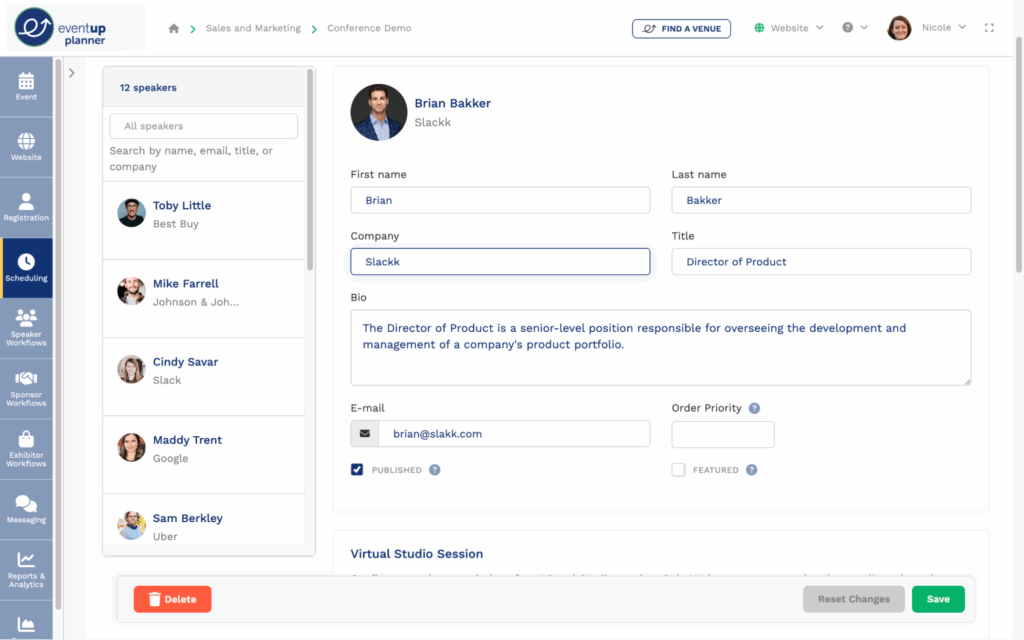
Speaker configuration software has become an essential tool for optimizing audio performance across a wide range of environments, from home theaters and studios to commercial venues.
These applications allow users to precisely manage speaker placement, sound calibration, volume levels, and equalization settings through intuitive interfaces. By leveraging advanced algorithms and room acoustics analysis, the software ensures accurate sound reproduction tailored to the specific listening space.
Compatibility with various audio systems and brands enhances its versatility, making it valuable for both professionals and enthusiasts. As audio technology continues to evolve, speaker configuration software plays a critical role in delivering immersive, high-fidelity sound experiences with minimal manual adjustment.
 Best spotify eq setting
Understanding Speaker Configuration Software and Its Role in Audio Optimization
Speaker configuration software plays a crucial role in modern audio systems, allowing users to fine-tune speaker settings for optimal sound performance across various environments. This type of software enables precise control over parameters such as speaker levels, crossover frequencies, delay times, and equalization, ensuring that audio output matches the acoustic characteristics of a room or listening space.
Whether used in home theaters, professional studios, or live sound setups, speaker configuration software interfaces with digital signal processors (DSPs) to deliver customized audio experiences. Many high-end speaker systems and AV receivers include proprietary software that connects via USB or network, offering intuitive graphical interfaces for managing complex speaker arrays.
With advancements in room correction technologies like Dirac Live, Audyssey, and Yamaha's YPAO, this software not only configures speaker setups but also adapts audio output based on real-time measurements, significantly improving sound clarity, imaging, and balance.
Key Features of Speaker Configuration Software
Modern speaker configuration software offers a range of powerful features designed to simplify system calibration and enhance audio fidelity.
 Best eq settings sony wh 1000xm4
Among the most essential are automatic room calibration, which uses a measurement microphone to analyze acoustics and adjust speaker output accordingly; crossover management, allowing users to set frequency thresholds at which audio signals are routed to tweeters, midrange drivers, or subwoofers; and speaker distance and level calibration, which ensures all speakers deliver synchronized and balanced sound.
Advanced platforms provide graphical EQ editors, time alignment controls, and speaker zoning, enabling different audio settings for various rooms or usage scenarios. Some software also supports firmware updates, presets, and remote access, making it easier to maintain and personalize audio systems over time. These features collectively empower both novice users and audio professionals to achieve studio-grade sound accuracy.
Popular Speaker Configuration Software in the Market
Several industry-leading brands offer robust speaker configuration software tailored to their hardware ecosystems. Audyssey MultEQ is widely used in AV receivers from Denon and Marantz, known for its advanced multi-point room correction and dynamic equalization.
Dirac Live, popular among audiophiles and high-end system integrators, provides deep acoustic analysis and correction with support for multiple measurement positions and high-resolution filters. Yamaha's YPAO (Yamaha Parametric Room Acoustic Optimizer) automatically adjusts sound based on room acoustics and speaker configuration, commonly found in Yamaha AV receivers.
 Best eq settings samsung
Other notable tools include Anthem Room Correction (ARC), praised for its precision in home theater environments, and MiniDSP's UMIK-1 with its associated HD software, a favorite in DIY audio circles for its flexibility and open-platform support. Each of these solutions brings unique strengths, often combining ease of use with powerful acoustic modeling capabilities.
How to Choose the Right Speaker Configuration Software
Selecting the appropriate speaker configuration software depends on several factors, including your audio hardware, room size, listening preferences, and technical expertise. First, consider compatibility—ensure the software works with your speakers, AV receiver, or DSP unit.
For casual listeners, built-in solutions like YPAO or Audyssey may offer sufficient automation and ease of setup. Audiophiles or professional users might prefer more granular control offered by Dirac Live or MiniDSP, which allow manual tweaking and advanced measurement options.
Evaluate the microphone requirements, as higher-precision software often demands calibrated measurement mics. Additionally, examine the user interface and available support resources—intuitive design and clear documentation can greatly reduce setup time. Finally, assess whether the software supports future upgrades, such as new speaker models or room layout changes, to ensure long-term usability.
 Best eq settings tesla model y
| Software | Best For | Key Strengths | Hardware Compatibility |
|---|---|---|---|
| Audyssey MultEQ | Home theater users | Multi-point calibration, dynamic EQ, easy setup | Denon, Marantz receivers |
| Dirac Live | Audiophiles & professionals | High-resolution filters, deep customization, time alignment | DSPs, MiniDSP, some AVRs |
| Yamaha YPAO | Beginners & home users | Automatic room optimization, simple interface | Yamaha AV receivers |
| Anthem ARC | High-end home theaters | Precise room correction, advanced phase control | Anthem AV receivers & processors |
| MiniDSP HD | Diy enthusiasts & integrators | Open platform, flexible routing, UMIK-1 support | MiniDSP hardware units |
Comprehensive Guide to Speaker Configuration Software: Features, Benefits, and Setup
How to set up speakers in Windows using configuration software?
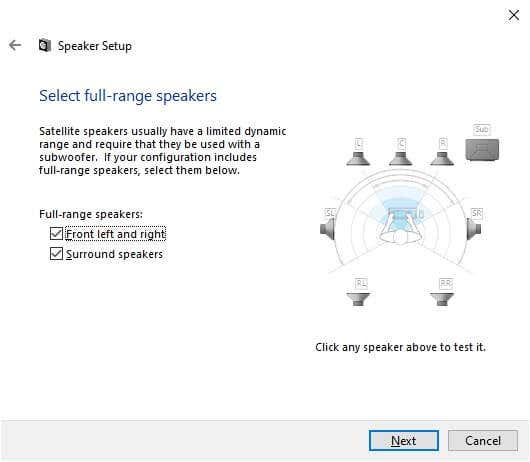
Identifying and Installing Speaker Configuration Software
- Determine the make and model of your speakers or sound card, as most manufacturers provide dedicated configuration software such as Realtek Audio Console, Creative Sound Blaster Connect, or Dolby Access. This information is typically found on the device packaging, user manual, or the manufacturer’s website.
- Download the appropriate configuration software from the official manufacturer’s website or the Microsoft Store. Ensure compatibility with your version of Windows (e.g., Windows 10 or 11) to avoid installation issues.
- Run the installer with administrative privileges, follow the on-screen setup prompts, and restart your computer if prompted to complete the installation process and enable full functionality of the software.
Configuring Audio Settings Through the Software Interface
- Open the speaker configuration software from the Start menu or System Tray. Once launched, the interface typically displays available audio output devices connected to your system.
- Select your speakers from the list of output devices and access configuration options such as speaker size, room acoustics, equalizer settings, and audio channels (e.g., stereo, 5.1 surround sound).
- Use built-in calibration tools if available–many programs include test tones and setup wizards that guide you through optimizing speaker levels, distances, and volume balance for the best audio experience.
Testing and Saving Your Speaker Configuration
- After adjusting the settings, use the software’s built-in playback test feature to verify that sound is correctly routed to each speaker. This step is crucial for surround sound setups to ensure proper channel mapping.
- Play sample audio or a known multimedia file to evaluate overall sound quality, making fine adjustments to bass, treble, or spatial effects as needed through the software’s equalizer or enhancement features.
- Save your profile within the configuration software if the option is available, allowing you to switch between different audio presets for music, movies, or gaming without reconfiguring settings each time.
What is the optimal speaker setup using configuration software?
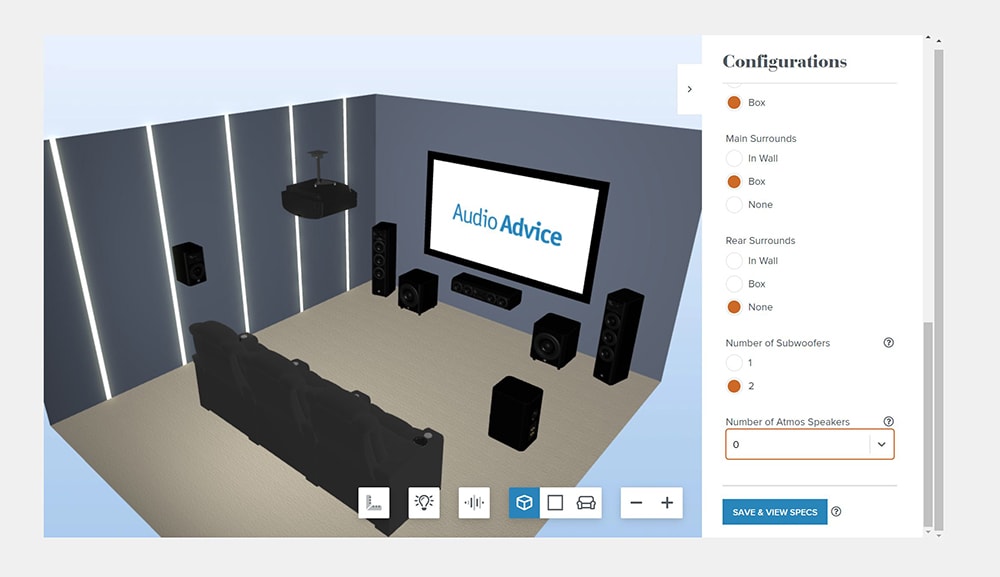
The optimal speaker setup using configuration software involves leveraging advanced digital signal processing (DSP) tools to precisely align speaker placement, timing, frequency response, and volume levels for a balanced and immersive audio experience.
Configuration software such as Dirac, Audyssey, ARC (Anthem Room Correction), or proprietary systems like Sonos Trueplay and Yamaha YPAO allows users to analyze the acoustic properties of a listening environment and apply corrective filters in real time.
 What are the best eq settings
By using a calibration microphone to measure frequency response at multiple listening positions, these systems detect room reflections, standing waves, and speaker irregularities, then generate tailored equalization curves and time alignment settings. The result is a more accurate soundstage, improved clarity, and consistent audio performance across all seating areas, especially in environments with challenging acoustics.
Choosing the Right Calibration Software
- Select software that is compatible with your audio system and hardware. High-end AV receivers often include Audyssey or YPAO, while professional studio monitors may support IRIS or other DSP platforms.
- Evaluate the software’s measurement capabilities—some offer multi-point analysis across several microphone positions, providing a more representative average of room acoustics.
- Consider user control and transparency. Advanced systems like Dirac Live allow manual fine-tuning of target curves and filters, giving audiophiles greater flexibility compared to fully automated solutions.
Proper Microphone Placement and Measurement Technique
- Position the calibration microphone at ear level in the primary listening position and take measurements in a grid pattern across all key seating areas to capture spatial variances.
- Ensure the room is as quiet as possible during calibration, minimizing background noise and external interference that could distort frequency readings.
- Follow the software’s instructions precisely for microphone height, distance from walls, and measurement intervals to maintain consistency and accuracy in data collection.
Applying and Validating Correction Filters
- Allow the software to apply equalization, crossover settings, and time alignment automatically, then review the generated filters if the interface permits user inspection.
- Re-measure the system after initial calibration to verify improvements and identify any residual acoustic anomalies that may require manual adjustments.
- Perform subjective listening tests with familiar audio content to assess imaging, bass response, and vocal clarity, ensuring the objective data aligns with perceptual quality.
What is the best speaker setup for optimal performance with speaker configuration software?
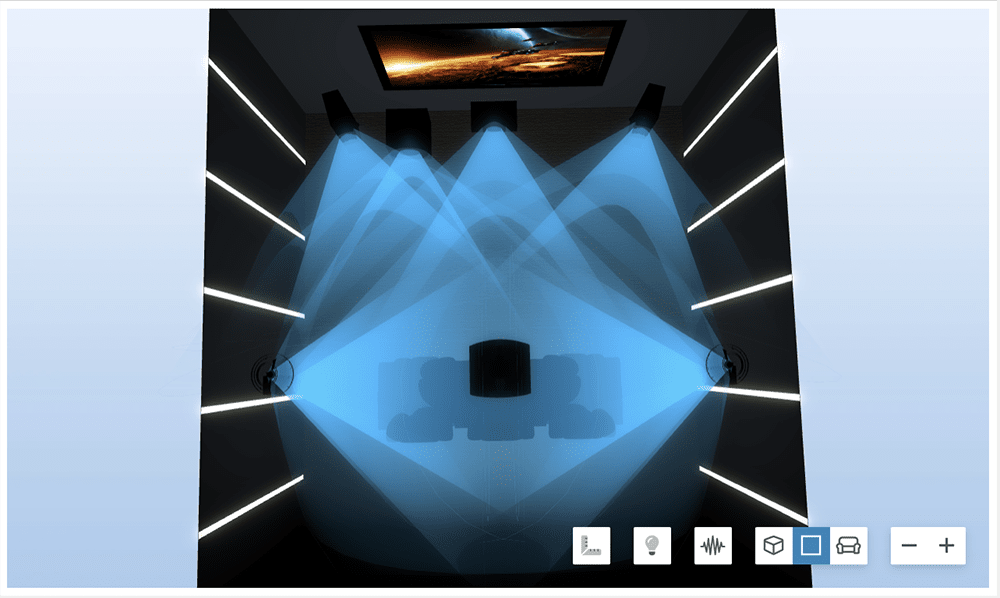
The best speaker setup for optimal performance with speaker configuration software involves a well-calibrated, acoustically balanced arrangement that maximizes sound reproduction accuracy and spatial imaging.
Using digital signal processing (DSP) software such as Dirac Live, Audyssey, REW (Room EQ Wizard), or proprietary systems like Yamaha YPAO or Denon Audyssey, the physical speaker configuration must support precise measurements and corrections.
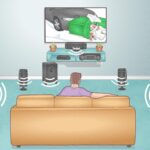 How To Set Speaker Configuration To Stereo
An ideal setup includes time-aligned speakers with matched quality across channels, proper positioning relative to the listening area, and consideration of room acoustics. Employing full-range speakers with a dedicated subwoofer (or multiple subwoofers) in a managed multi-channel configuration allows the software to apply targeted equalization, delay, and gain adjustments for each speaker, resulting in cohesive, immersive audio.
Optimal Speaker Placement for Software Calibration
- Position the front left and right speakers at equal distances from the primary listening position, forming an equilateral triangle between the listener and the two speakers, which ensures balanced stereo imaging and timing coherence during digital calibration.
- Elevate all speakers so that the tweeters are at ear level when seated, improving high-frequency accuracy and allowing configuration software to analyze direct sound more effectively, minimizing early reflections that could skew results.
- Angle the front and surround speakers toward the listening position (toe-in), focusing sound directly at the listener, which enhances clarity and helps the measurement microphone capture cleaner impulse responses for more effective software-based room correction.
Choosing Compatible and High-Performance Speakers
- Select speakers with linear frequency response and low distortion characteristics, as DSP software performs best when starting with accurate source hardware; non-linear or poorly designed speakers may limit the software’s ability to correct issues effectively.
- Ensure all speakers in the setup, including surrounds and center channel, are from the same product series or have timbre-matching to maintain consistent tonal quality across channels, which allows speaker configuration software to blend outputs seamlessly during phase and EQ adjustments.
- Use full-range drivers or bi-amp capable speakers when possible, enabling more granular control through software, particularly when combined with active crossovers or parametric EQ features that fine-tune specific driver behavior.
Integrating Subwoofers and Room Acoustics
- Deploy at least one, preferably two or more subwoofers in opposing room locations (e.g., front and rear) to smooth low-frequency response; multiple subs reduce room mode unevenness and give calibration software better data for applying effective bass management and equalization.
- Treat the room with acoustic panels, bass traps, and diffusers before running configuration software, as excessive reflections or standing waves can mislead measurement microphones, resulting in inaccurate DSP corrections even with advanced algorithms.
- Use dual measurement positions or multi-point calibration by taking microphone readings from several listening spots; this enables the software to generate a balanced correction profile that performs well across the entire seating area, especially in rooms with complex acoustic behaviors.
Frequently Asked Questions
What is speaker configuration software?
Speaker configuration software is a tool that allows users to customize and optimize audio output by adjusting speaker settings such as volume balance, sound profiles, speaker placement, and equalization.
It helps ensure accurate sound reproduction based on room acoustics and listening preferences. This software is commonly used with home theaters, studio monitors, and professional audio systems to enhance audio clarity and performance.
How do I install speaker configuration software?
To install speaker configuration software, download the correct version from the manufacturer’s official website or use the installation disc provided with your audio system.
Connect your speakers and audio device properly, then run the installer and follow the on-screen instructions. After installation, launch the software and configure your speaker setup using the built-in calibration tools or manual adjustments for optimal sound performance.
Can speaker configuration software work with any speakers?
Speaker configuration software typically works best with compatible audio systems, especially those from the same manufacturer.
While some software can function with third-party speakers, advanced features like automatic calibration or surround sound optimization may require specific hardware support. Check software compatibility with your speaker model and audio interface before installation to ensure full functionality and avoid performance issues.
Does speaker configuration software improve audio quality?
Yes, speaker configuration software can significantly improve audio quality by tailoring sound output to your environment and equipment. It adjusts timing, frequency response, and speaker levels to compensate for room acoustics and positioning.
This results in clearer dialogue, balanced bass, and a more immersive listening experience. Proper calibration through the software enhances overall fidelity and ensures optimal performance from your speaker system.
Leave a Reply