
Balanced Studio Monitor Cables
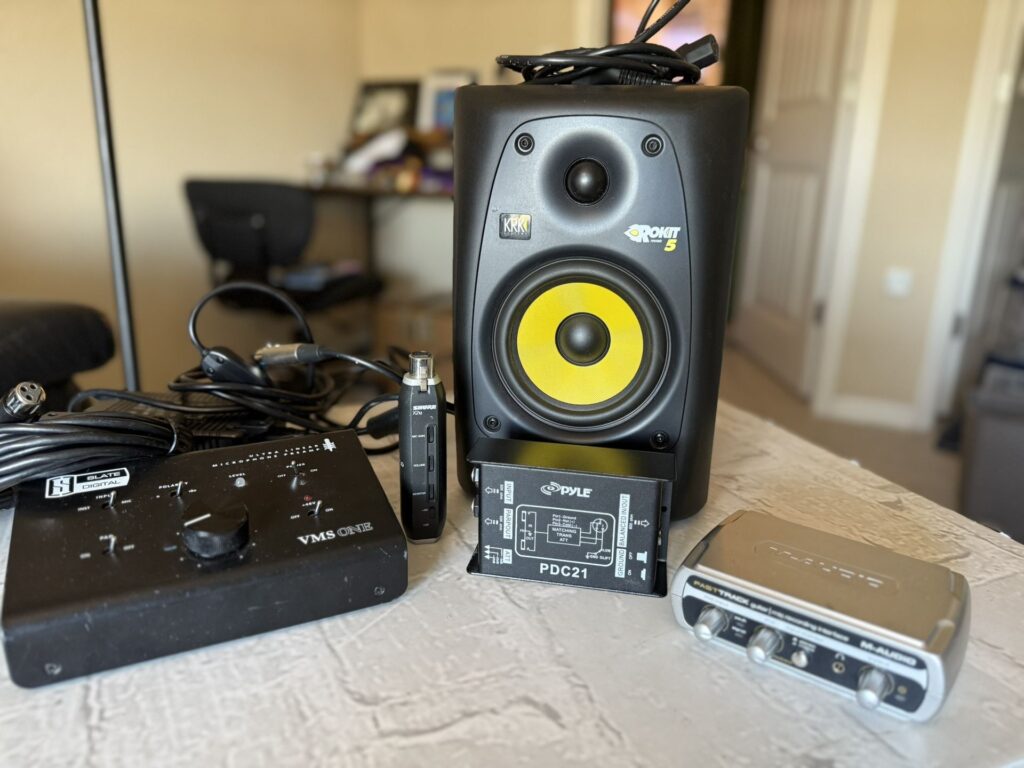
Balanced studio monitor cables play a crucial role in delivering accurate, high-fidelity audio within professional and home recording environments.
Designed to minimize noise and interference over long cable runs, these cables use a three-conductor configuration—typically XLR or TRS—to carry audio signals with enhanced clarity and signal integrity. By utilizing phase cancellation, balanced cables effectively reject electromagnetic interference, ensuring that the sound you hear is true to the original source.
For engineers, producers, and audiophiles alike, choosing the right balanced cable is essential for maintaining sonic precision across diverse studio setups, making them a fundamental component in any serious audio workflow.
 Behringer active pa speakers
The Importance of Balanced Studio Monitor Cables in Professional Audio Setups
Balanced studio monitor cables are a crucial component in any professional audio environment, ensuring accurate and noise-free signal transmission between audio interfaces, mixers, and studio monitors.
Unlike unbalanced cables, which are susceptible to electromagnetic interference and signal degradation over long distances, balanced cables use a three-wire configuration—consisting of a positive signal, a negative (inverted) signal, and a ground—to effectively cancel out noise picked up along the cable run.
This makes them ideal for studio environments where clean audio reproduction is paramount. Additionally, balanced cables typically use XLR or TRS (Tip-Ring-Sleeve) connectors, both of which support the differential signaling required for noise rejection. By maintaining signal integrity and minimizing audio interference, balanced cables help producers and engineers make critical mixing and mastering decisions with confidence.
How Balanced Cables Reduce Noise and Interference
Balanced studio monitor cables significantly reduce noise and interference through a technique known as common-mode rejection. In this method, the audio signal is sent across two conductors: one carrying the original signal and the other carrying an inverted version.
 Behringer pa speakers review
When the signal reaches the destination device, the inverted signal is flipped back and combined with the original. Any noise that was picked up along the cable—such as from power lines or electronic devices—affects both conductors equally and in the same phase.
During the inversion and recombination process, this common noise is effectively canceled out, leaving only the clean original signal. This noise-reduction capability is especially vital in environments with many electronic devices and long cable runs, making balanced cables a must-have for reliable audio performance.
Differences Between XLR and TRS Balanced Cables
Both XLR and TRS connectors are commonly used for balanced studio monitor cables, but they serve different purposes and offer distinct advantages. XLR cables feature three pins and a locking mechanism, making them extremely secure and reliable for permanent installations or live setups where disconnection could be disruptive.
They are primarily used with active studio monitors and professional audio interfaces that have XLR inputs. On the other hand, TRS (Tip-Ring-Sleeve) cables are 1/4-inch connectors with three conductive sections and are often used in gear that supports balanced line-level connections but lacks XLR ports.
 Mtx pa speakers
While TRS cables are compact and widely compatible with mixers and audio interfaces, they lack the physical lock of XLR, making them slightly more prone to accidental disconnection. Choosing between XLR and TRS depends on your equipment’s input types and your need for durability and compatibility.
Key Features to Look for in High-Quality Balanced Cables
When selecting balanced studio monitor cables, several key features should guide your decision to ensure optimal performance. First, shielding quality is essential—cables with braided shielding or dual-layer shielding provide superior protection against RF and electromagnetic interference.
Second, conductor material matters; oxygen-free copper (OFC) is widely preferred for its excellent conductivity and resistance to corrosion. Third, look for gold-plated connectors, which resist oxidation and ensure a stable, long-lasting connection.
Additionally, the cable’s gauge (thickness) affects its durability and signal handling—lower gauge numbers indicate thicker wires that are more robust and suitable for longer runs. Lastly, strain relief at the connector points helps extend the cable’s lifespan by preventing internal wire breakage due to bending or pulling. Investing in cables with these features ensures reliable signal transfer and long-term durability in demanding studio conditions.
 Mtx audio pa speakers
| Feature | Importance | Recommended Specification |
|---|---|---|
| Connector Type | Ensures compatibility with audio equipment | XLR or TRS (1/4), depending on device input |
| Shielding | Reduces electromagnetic and RF interference | Braided or double-layer shielding |
| Conductor Material | Maintains signal clarity and strength | Oxygen-free copper (OFC) |
| Connector Plating | Prevents corrosion and maintains conductivity | Gold-plated contacts |
| Cable Gauge | Impacts durability and performance over long distances | 22 AWG to 18 AWG for studio use |
Choosing the Best Balanced Studio Monitor Cables for Optimal Audio Performance
Are balanced cables necessary for optimal studio monitor performance?
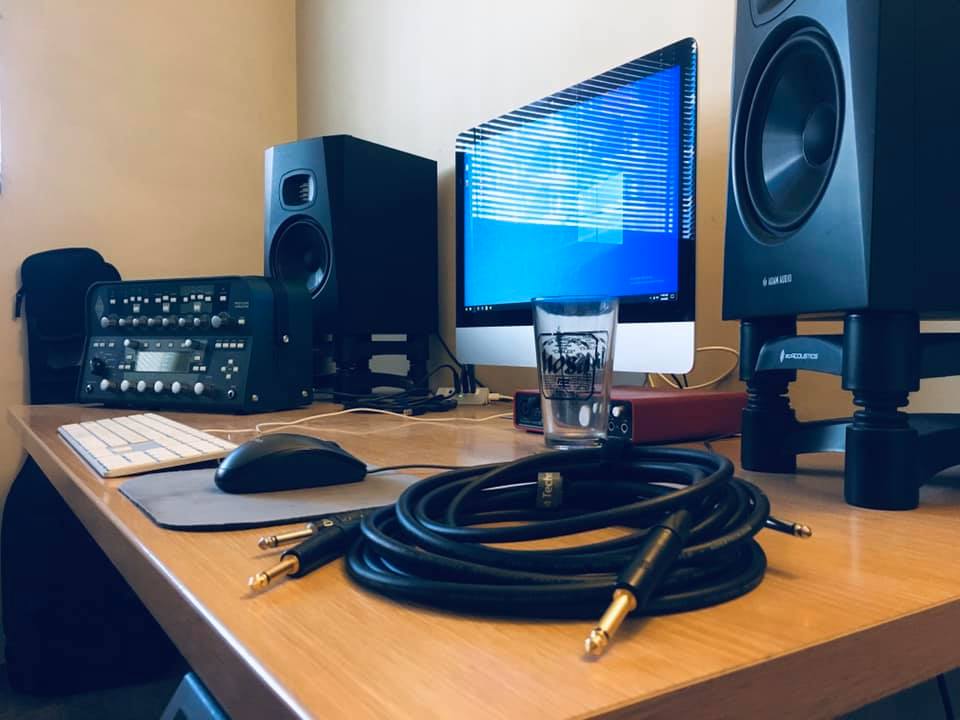
Understanding Balanced vs. Unbalanced Cables in Studio Setups
- Balanced cables are designed with three conductors: two signal wires (positive and negative) and a ground wire. This configuration allows them to carry audio signals with improved noise rejection, especially over longer distances. In studio monitor applications, this is important because it helps preserve signal integrity from the audio interface or mixer to the speakers.
- Unbalanced cables, in contrast, use only two conductors—a signal wire and a ground—which makes them more susceptible to electromagnetic interference, such as hums or buzzes from nearby electronic devices. This becomes increasingly problematic when cable runs exceed 10–15 feet, which is common in larger studio environments.
- Most professional studio monitors and output sources like audio interfaces or mixing consoles feature balanced inputs and outputs (typically XLR or TRS connectors), meaning they are engineered to take advantage of balanced connections. Using unbalanced cables in such systems may not cause immediate issues with shorter runs, but they limit the system’s potential for clean, accurate sound reproduction.
Impact of Balanced Cables on Audio Fidelity
- The primary benefit of balanced cables in a studio setting is their ability to reject common-mode noise—interference that affects both signal wires equally. Thanks to a process called common-mode rejection, the receiving device (such as a studio monitor) cancels out this noise, resulting in a cleaner audio signal being reproduced.
- Since studio monitors are designed for accurate sound reproduction during mixing and mastering, minimizing external noise is critical. Even subtle interference can lead to misleading perceptions of the audio, causing engineers to make incorrect EQ or level decisions. Balanced cables help ensure that what is heard is exactly what was recorded or processed.
- In high-end monitoring environments, where subtle sonic details matter, using balanced connections significantly contributes to maintaining transparency and fidelity. Though the difference might be less noticeable at very short distances or in electromagnetically quiet rooms, balanced cables provide a consistent performance baseline essential for professional results.
Situational Necessity and Practical Considerations
- For small home studios with short cable runs and minimal electronic interference, unbalanced cables (like TS or RCA) may function adequately and deliver acceptable sound quality. However, as studio complexity grows—with more equipment, longer cable lengths, and proximity to power sources—balanced cables become increasingly necessary to avoid noise issues.
- Upgrading to balanced cabling is a cost-effective improvement compared to replacing monitors or interfaces. It enhances system reliability, especially when routing audio through patch bays, outboard gear, or long cable paths behind racks and studio walls.
- While balanced cables are not strictly mandatory in every single scenario, they are strongly recommended for any serious audio production environment. Their noise-canceling capabilities and compatibility with professional-grade equipment make them a foundational element of a high-performance monitoring setup, ensuring accurate, reliable audio playback.
Are balanced studio monitor cables superior for audio performance?
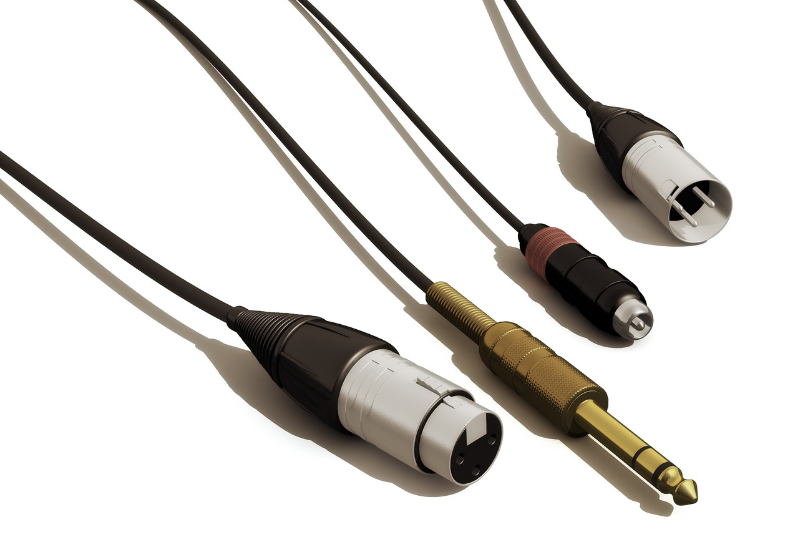
Yes, balanced studio monitor cables are generally superior for audio performance, especially in professional environments or situations where long cable runs and potential interference are concerns.
These cables use a three-conductor design—typically two signal wires and a ground—that allows them to reject common-mode noise, such as electromagnetic interference from power cables, lighting fixtures, or nearby electronic devices.
 Wall Mount Studio Monitors
This noise rejection is achieved through differential signaling: the audio signal is sent as two inverted versions across the positive and negative conductors, and at the receiving end, the inversion is reversed and the two signals are combined.
Any interference that was picked up along the cable's path affects both conductors equally and is effectively canceled out. As a result, balanced cables preserve signal integrity over longer distances, typically beyond 15 to 20 feet, making them ideal for studio setups.
How Balanced Cables Reduce Noise and Interference
- Balanced cables utilize a differential signaling method, where the audio signal is sent as two polar opposites—one on the “hot” conductor and an inverted version on the “cold” conductor—so that any external interference impacts both equally during transmission.
- At the receiving end, such as a studio monitor or audio interface, the inverted signal is flipped back and summed with the original, causing the actual audio signals to reinforce each other while the identical noise picked up along the cable is canceled out through phase inversion.
- This common-mode rejection is particularly effective in electrically noisy environments, like recording studios with multiple electronic devices, dimmer switches, or fluorescent lighting, providing a cleaner and more accurate audio playback essential for critical listening.
When to Use Balanced vs. Unbalanced Cables in a Studio
- Balanced cables should be used whenever the signal path exceeds 15–20 feet or when the cables run parallel to power lines, stage lighting, or other sources of electromagnetic interference, which can introduce hum or buzz in unbalanced connections.
- Connections between audio interfaces, preamps, and active studio monitors typically support balanced inputs via XLR or TRS connectors, making balanced cables the preferred choice for maintaining high signal fidelity throughout the signal chain.
- Unbalanced cables, such as standard TS (tip-sleeve) or RCA connections, may suffice for short runs under 10 feet in home studios with minimal interference, but they lack the noise-canceling capabilities and are not recommended for professional-grade monitoring or mixing tasks.
The Role of Connectors in Balanced Audio Performance
- Proper balanced operation requires compatible connectors—XLR and TRS (tip-ring-sleeve) jacks—which are designed to carry the three conductors (positive, negative, and ground) needed for differential signaling, unlike TS or RCA connectors limited to two connections.
- XLR connectors are commonly used with active studio monitors and are known for their secure locking mechanism and durability, making them ideal for both studio and live environments where cables might be moved or disturbed frequently.
- TRS connectors provide a balanced signal in a 1/4-inch form factor and are often used with audio interfaces or monitor controllers, offering reliable performance as long as both the output and input devices support true balanced circuitry, not just physical compatibility.
XLR vs TRS: Which Balanced Cable Type Is Best for Studio Monitors?
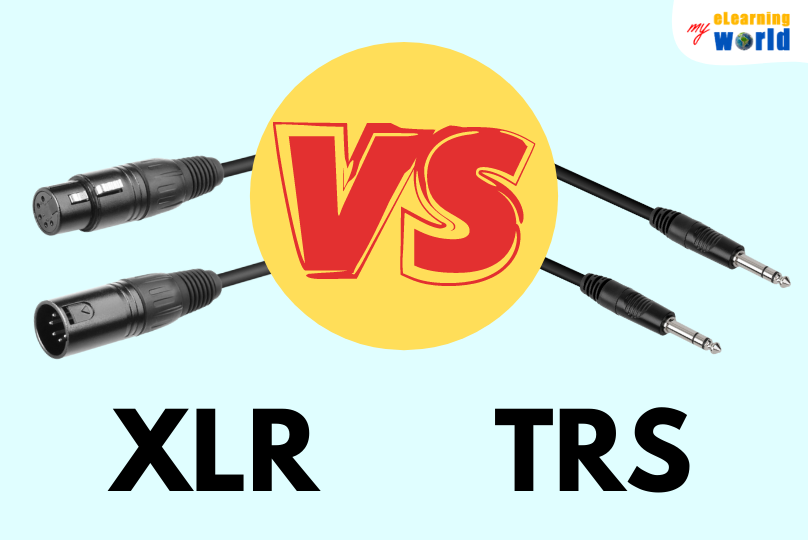
Differences Between XLR and TRS Connectors in Balanced Audio Applications
- XLR connectors are circular cables with three or more pins, commonly used in professional audio setups. They feature a locking mechanism that ensures a secure connection, minimizing the risk of accidental disconnections. This design makes them ideal for fixed studio environments and live sound applications where reliability is essential.
- TRS (Tip-Ring-Sleeve) connectors, on the other hand, are 1/4-inch jack plugs with three conductive sections. They are used in both balanced and unbalanced configurations, depending on the wiring. In balanced mode, the tip carries the positive signal, the ring carries the inverted signal, and the sleeve acts as the ground, allowing for noise cancellation over long cable runs.
- While XLR cables are typically fully balanced and carry microphone-level or line-level signals, TRS cables are more commonly found on audio interfaces, studio monitors, and outboard gear. The physical difference in form factor means that XLR is more durable in fixed installations, while TRS offers flexibility on devices with space constraints, such as compact audio interfaces.
Noise Rejection and Signal Integrity in Long Cable Runs
- Both XLR and TRS cables support balanced audio signaling, which uses two conductors carrying identical signals with opposite polarity. This configuration allows the receiving device to cancel out any common-mode noise picked up along the cable, significantly improving signal integrity, especially over distances greater than 10 feet.
- XLR cables often have superior shielding and robust construction, making them slightly more effective in rejecting electromagnetic interference in electrically noisy environments. This becomes particularly noticeable in studios with numerous power sources, lighting systems, or densely packed equipment racks.
- TRS cables are equally capable of balanced transmission when used with compatible gear, but their exposed metal shafts can be more prone to handling noise and ground loops if shielding is compromised. For runs exceeding 20 feet, XLR is generally preferred due to its consistent shielding and secure locking feature.
Compatibility and Practical Use with Studio Monitor Setups
- Many high-end studio monitors offer both XLR and TRS input options, giving users flexibility in cable choice. The choice often comes down to the output type available on the audio interface or preamp. For instance, some interfaces only provide TRS outputs, while others include both TRS and XLR line outputs.
- XLR connections are commonly used when the audio source is a mixer, microphone preamp, or dedicated monitoring controller. Because XLR is standard in professional environments, integrating XLR cables into studio monitor setups ensures seamless compatibility with a wide range of pro audio gear.
- TRS connections are frequently used in near-field monitor setups where the audio interface is located close to the monitors. The 1/4-inch size allows for more compact jacks, fitting better on smaller devices. Additionally, many musicians and home studio producers prefer TRS for its simplicity and widespread use in consumer and semi-professional gear.
Frequently Asked Questions
What are balanced studio monitor cables used for?
Balanced studio monitor cables are designed to transmit audio signals from audio interfaces or mixers to studio monitors with minimal noise and interference.
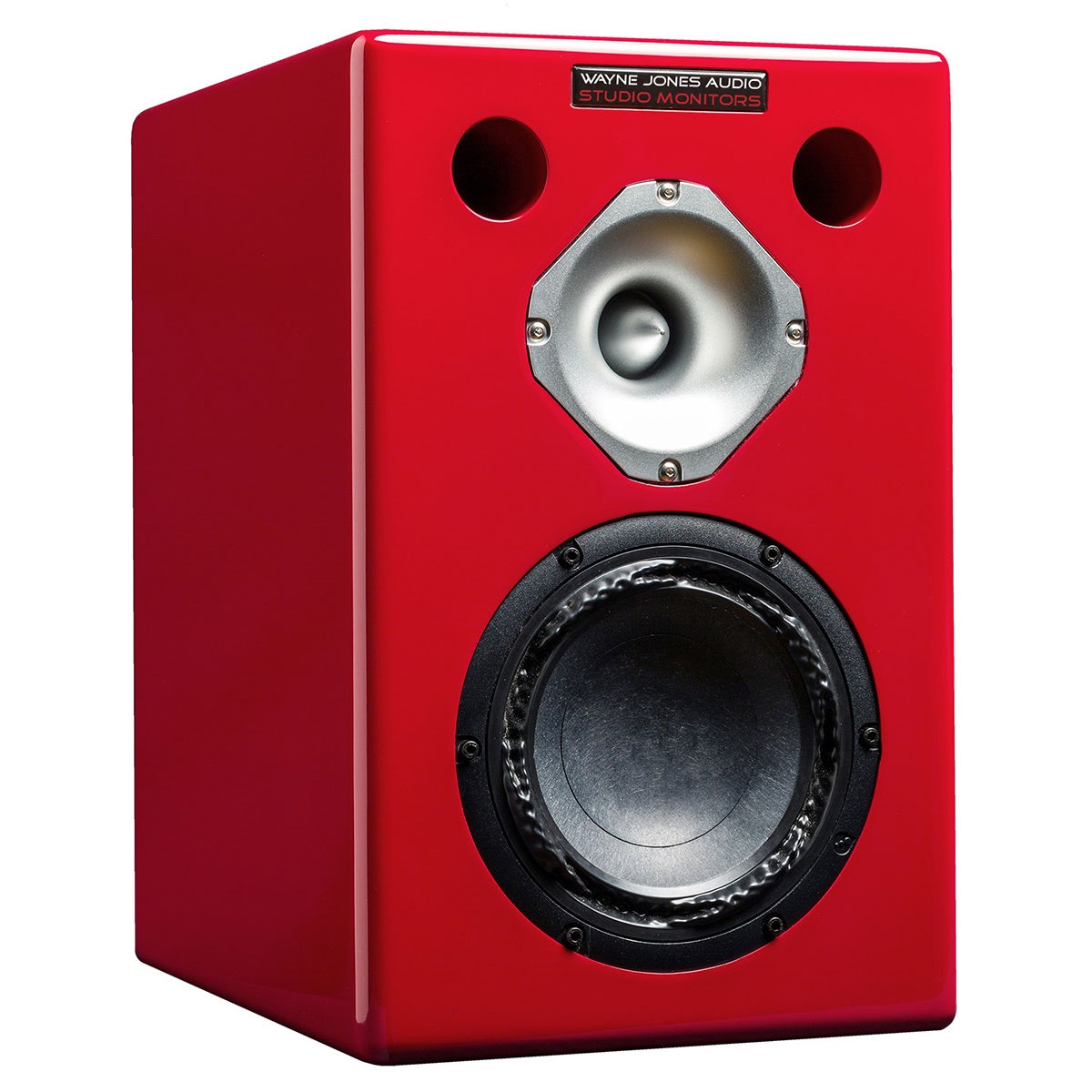 Wayne Jones Audio Studio Monitors
They use a three-conductor design (positive, negative, and ground) to cancel out electromagnetic interference, making them ideal for professional studio environments. This results in clearer, more accurate sound reproduction, especially over longer cable runs, ensuring high-fidelity audio performance during recording and mixing.
How do balanced cables reduce noise in audio signals?
Balanced cables reduce noise by using two signal wires carrying identical audio signals with opposite polarity, along with a ground wire. When interference affects the cable, it impacts both signal wires equally.
At the receiving end, the balanced input inverts one signal back to its original polarity and combines it with the other, effectively canceling out any induced noise. This differential signaling greatly improves signal integrity in electrically noisy environments.
Can I use balanced cables with unbalanced equipment?
Yes, you can often use balanced cables with unbalanced equipment, but the connection may not transmit a balanced signal. For example, connecting a balanced output to an unbalanced input using an XLR-to-TRS cable will still carry audio, but noise rejection benefits are lost. Some devices feature combo inputs that accept both balanced and unbalanced connections. Always check your equipment specifications to ensure compatibility and optimal signal quality.
 Wooden Studio Monitors
What types of connectors are used in balanced studio monitor cables?
Balanced studio monitor cables typically use XLR or TRS (Tip-Ring-Sleeve) connectors. XLR connectors are common in professional audio setups and provide secure, locking connections ideal for fixed installations.
TRS connectors, often found on studio monitors and audio interfaces, are 1/4-inch jacks that carry balanced signals when used with compatible devices. Both connector types support the three-conductor system required for balanced audio transmission, ensuring noise-resistant performance.
Leave a Reply