
Bluetooth Speaker Installation
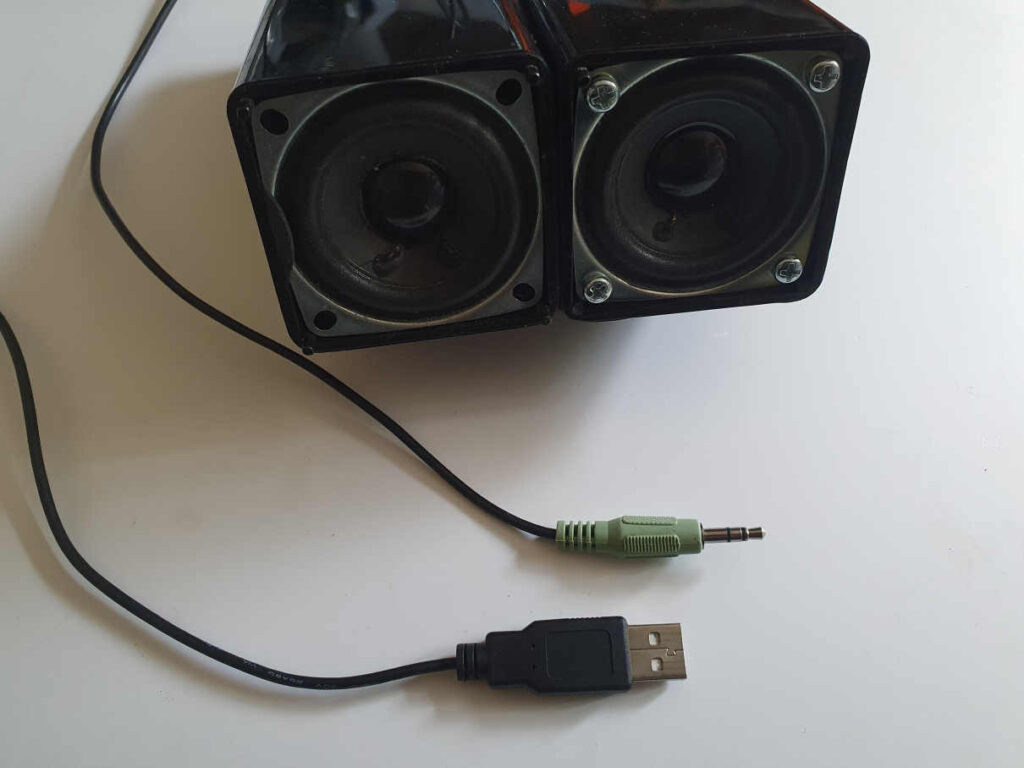
Installing a Bluetooth speaker can significantly enhance your audio experience, whether at home, in the car, or outdoors. Unlike traditional wired systems, Bluetooth speakers offer wireless convenience, allowing seamless connection to smartphones, tablets, and other devices.
Proper installation ensures optimal sound quality, placement, and durability. This process involves selecting the right location, ensuring stable power supply, and pairing the speaker correctly with your device.
While some models require minimal setup, others may involve mounting or integrating with existing audio systems. Understanding the technical requirements and following manufacturer guidelines is essential for a successful installation. This guide covers key steps and tips to help you set up your Bluetooth speaker efficiently and effectively.
 Adam Audio D3v 3.5 Inch Powered Studio Monitor Pair
Bluetooth Speaker Installation: A Step-by-Step Guide for Optimal Audio Setup
Installing a Bluetooth speaker correctly ensures superior sound quality, reliable wireless connectivity, and seamless integration with your devices.
Whether you're setting up a speaker at home, in the office, or outdoors, the installation process generally involves more than just pairing it via Bluetooth. Proper installation includes selecting the ideal location, ensuring stable power supply (if applicable), and optimizing the connection to avoid interference or signal drops.
Most modern Bluetooth speakers are designed for plug-and-play usability, but understanding the nuances—such as device compatibility, firmware updates, and audio source selection—can significantly enhance the user experience. This guide walks you through essential steps and best practices for a successful and efficient wireless speaker installation.
Choosing the Right Location for Your Bluetooth Speaker
Selecting the appropriate placement is critical for achieving optimal audio performance. A Bluetooth speaker should be positioned in an open area, away from walls or large objects that may block or reflect sound waves, leading to distorted audio. Avoid placing the speaker near metal objects, microwaves, or Wi-Fi routers, as these can cause electromagnetic interference and disrupt the Bluetooth signal.
 Affordable Studio Monitor Headphones
For indoor use, placing the speaker at ear level on a shelf or stand improves sound clarity and dispersion. In outdoor settings, ensure the speaker is within the typical 30-foot Bluetooth range of your audio source and protected from moisture or extreme temperatures, especially if the unit isn’t rated for weather resistance.
Powering and Charging Your Bluetooth Speaker
Most portable Bluetooth speakers rely on built-in rechargeable batteries, requiring proper charging before initial use and regular maintenance thereafter.
Use the manufacturer-recommended charging cable and power adapter to prevent battery degradation or safety hazards. Allow the speaker to fully charge during the first cycle—a process that may take 2 to 4 hours depending on battery capacity—to maximize longevity and performance.
For permanent installations, such as in-ceiling or wall-mounted units, verify that the speaker is connected to a stable power source and that all electrical connections meet safety standards. Always refer to the user manual for specific power requirements and charging indicators to avoid overcharging or damaging internal components.
 Affordable Studio Monitor Speakers
Pairing and Connecting to Your Audio Source Device
The core of Bluetooth speaker installation is establishing a reliable wireless connection between the speaker and your smartphone, tablet, or computer.
Begin by enabling Bluetooth on your source device and putting the speaker into pairing mode—usually by pressing and holding a dedicated Bluetooth button until an indicator light flashes. Once detected, select the speaker from the list of available devices to complete pairing.
Some models support multi-point pairing, allowing simultaneous connections to two devices. For stronger connections, ensure both devices support the same Bluetooth version (e.g., Bluetooth 5.0 or higher) and codec standards (like AAC or aptX) for enhanced audio quality. If connection issues occur, try resetting the speaker or forgetting the device before re-pairing.
| Installation Step | Key Considerations | Recommended Actions |
|---|---|---|
| Speaker Placement | Avoid signal obstructions and acoustic interference | Place in open area, elevate if possible, avoid corners |
| Power Management | Ensure consistent power flow and battery health | Use original charger, fully charge before first use |
| Device Pairing | Stable, low-latency wireless connection | Enable pairing mode, confirm codec compatibility |
| Signal Range | Maintain effective Bluetooth range (typically 30 ft) | Minimize physical barriers, avoid signal-jamming devices |
| Firmware Updates | Improve performance and fix compatibility bugs | Check manufacturer's app or website regularly |
Frequently Asked Questions
How do I pair my Bluetooth speaker with my device?
To pair your Bluetooth speaker, turn on both the speaker and your device. Enable Bluetooth in your device's settings, then search for available devices.
 Balanced Studio Monitor Cables
Select your speaker from the list and confirm the connection. Some speakers may require you to press and hold the pairing button until the indicator light flashes. Once connected, you should hear a confirmation tone or see a connected status on your device.
What should I do if my Bluetooth speaker won’t connect?
If your Bluetooth speaker won’t connect, first ensure it’s charged and in pairing mode. Restart both the speaker and your device.
Make sure Bluetooth is enabled and that the speaker isn’t already connected to another device. Remove the speaker from your device's Bluetooth list and try pairing again. If problems persist, check for firmware updates or reset the speaker according to the manufacturer’s instructions.
Can I use the Bluetooth speaker while it's charging?
Yes, most Bluetooth speakers can be used while charging. Connect the speaker to a power source using the provided cable and adapter. Allow a few minutes for charging before turning it on.
 Balanced Trs Cables For Studio Monitors
Using the speaker while charging may slightly increase charge time, but it generally won’t harm the device. Avoid using third-party chargers that could damage the battery or affect performance.
How far can I be from the speaker and still maintain a connection?
Most Bluetooth speakers have a range of about 33 feet (10 meters) in open spaces. Walls, furniture, and interference from other wireless devices can reduce this range.
For best performance, keep your device within line of sight and close to the speaker. Bluetooth version also affects range—newer versions like Bluetooth 5.0 offer improved distance and stability compared to older models.
 Behringer Truth B2031a Studio Monitors
Leave a Reply