
How Do I Connect Bluetooth Speakers To My Stereo Receiver
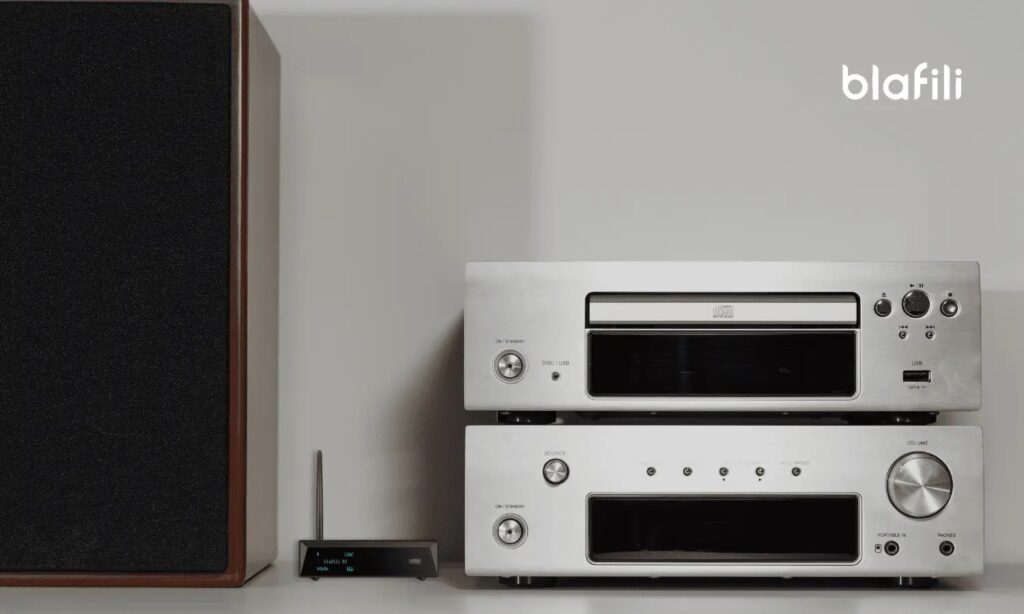
Connecting Bluetooth speakers to a stereo receiver enhances audio convenience and flexibility, allowing wireless playback from smartphones, tablets, or computers. While many modern receivers include built-in Bluetooth support, older models may require external adapters. The process generally involves enabling Bluetooth on both the receiver and the speaker, ensuring compatibility, and pairing the devices.
Some systems use auxiliary inputs or RCA connections with a Bluetooth audio transmitter. Understanding your receiver’s capabilities and the speaker’s requirements is key to achieving a stable, high-quality connection. This guide walks you through step-by-step methods, troubleshooting tips, and best practices for seamless integration of Bluetooth speakers with your stereo receiver.
How to Connect Bluetooth Speakers to Your Stereo Receiver
Connecting Bluetooth speakers to your stereo receiver allows you to enjoy wireless audio streaming while leveraging the high-quality amplification and sound processing capabilities of your existing stereo system.
 How Can I Connect My Phone To Multiple Bluetooth Speakers
While most traditional stereo receivers were designed before Bluetooth became widespread, there are several reliable methods to integrate modern Bluetooth speakers into your setup. The key is understanding whether your receiver has built-in Bluetooth capability or if you need an external adapter. Most newer receivers support Bluetooth natively, allowing you to pair devices directly.
For older models, a Bluetooth receiver or audio transmitter can be connected to the auxiliary (AUX) or digital audio output, effectively adding wireless functionality. Once linked, you can stream music from smartphones, tablets, or computers directly to your Bluetooth speakers using the stereo receiver as the central audio hub.
Check if Your Stereo Receiver Has Built-in Bluetooth
Before purchasing additional equipment, it’s essential to determine whether your stereo receiver already supports Bluetooth connectivity.
Many modern receivers from brands like Yamaha, Denon, and Sony come with built-in Bluetooth or Wi-Fi/Bluetooth combo functionality to support wireless streaming. You can confirm this by checking your receiver’s user manual, looking for a Bluetooth pairing button, or navigating the on-screen menu via the remote or display panel.
 How Can I Connect My TV To Bluetooth Speakers
If your receiver supports Bluetooth output, it can directly send audio to Bluetooth speakers. However, older models without this feature will require an external adapter to enable wireless communication, which is a simple and cost-effective solution for upgrading legacy systems.
Using a Bluetooth Audio Transmitter with AUX or Digital Output
If your stereo receiver lacks built-in Bluetooth, a Bluetooth audio transmitter is an excellent solution to wirelessly connect Bluetooth speakers. These small devices plug into your receiver’s AUX output, headphone jack, or digital audio out (optical/coaxial) and convert the audio signal into a wireless Bluetooth stream.
Simply power the transmitter (usually via USB or AC adapter), pair it with your Bluetooth speakers, and select the appropriate output source on your receiver. For optimal performance, choose a transmitter that supports high-quality codecs like aptX or AAC to reduce latency and improve sound fidelity. This method preserves the receiver’s amplification and tone controls while adding modern wireless convenience.
Understanding Audio Signal Flow and Compatibility
Properly connecting Bluetooth speakers to a stereo receiver involves understanding the signal flow and ensuring device compatibility. When using an external Bluetooth transmitter, the audio signal travels from the receiver’s output, through the transmitter, and wirelessly to the Bluetooth speaker.
 How Can I Connect Old Speakers To Computer
However, note that Bluetooth speakers typically have their own internal amplifiers, so you may not need the receiver to power them. Instead, the receiver acts as a preamp or signal source. Also, verify that the transmitter and speaker support matching Bluetooth profiles such as A2DP for stereo audio. Delays (latency) can occur, especially with video content, so for the best experience, select low-latency equipment or use wired connections for time-sensitive media.
| Connection Method | Required Equipment | Audio Quality | Best For |
|---|---|---|---|
| Direct Bluetooth (Built-in) | Receiver with Bluetooth output | High (supports aptX, AAC) | Newer receivers with native support |
| Bluetooth Transmitter via AUX | Bluetooth transmitter, AUX cable | Medium to High | Older receivers with line-out/headphone jack |
| Optical to Bluetooth Converter | Digital optical transmitter, optical cable | High (lossless source signal) | Home theater or receivers with optical output |
How to Connect Bluetooth Speakers to Your Stereo Receiver: A Step-by-Step Guide
Can I Connect Bluetooth Speakers to a Stereo Receiver?

Understanding the Compatibility Between Bluetooth Speakers and Stereo Receivers
- Bluetooth speakers are standalone audio devices designed to receive wireless audio signals from sources like smartphones, tablets, or computers. They typically contain built-in amplifiers and battery-powered circuits, making them self-sufficient output devices.
- Stereo receivers, on the other hand, are designed to process and amplify audio signals from various input sources and then send them to passive speakers via wired connections. They generally act as the central hub in a traditional audio setup.
- Due to these functional differences, you cannot directly connect Bluetooth speakers to a stereo receiver in the way you would connect passive speakers. The receiver expects to output amplified signals to external speakers, while Bluetooth speakers expect to receive audio wirelessly, not via wired audio input from a receiver.
How to Integrate Bluetooth Speakers with a Stereo Receiver System
- If you want to include Bluetooth speakers in a setup that includes a stereo receiver, the reverse approach is more practical: use the Bluetooth speaker as an independent device rather than connecting it directly to the receiver. For example, you can play audio directly from a Bluetooth-enabled source to the speaker.
- Alternatively, some modern stereo receivers come equipped with built-in Bluetooth transmitters. In such cases, you may be able to transmit the audio signal from the receiver to a Bluetooth speaker wirelessly, but this depends on the receiver supporting output functionality via Bluetooth, which is less common than Bluetooth input.
- Another method involves using a Bluetooth audio transmitter connected to one of the receiver’s audio output jacks (such as a headphone or preamp output). This device can send the receiver's sound signal to a Bluetooth speaker, effectively bridging the two systems without altering the internal components of either device.
Limitations and Considerations When Using Bluetooth Speakers with Receivers
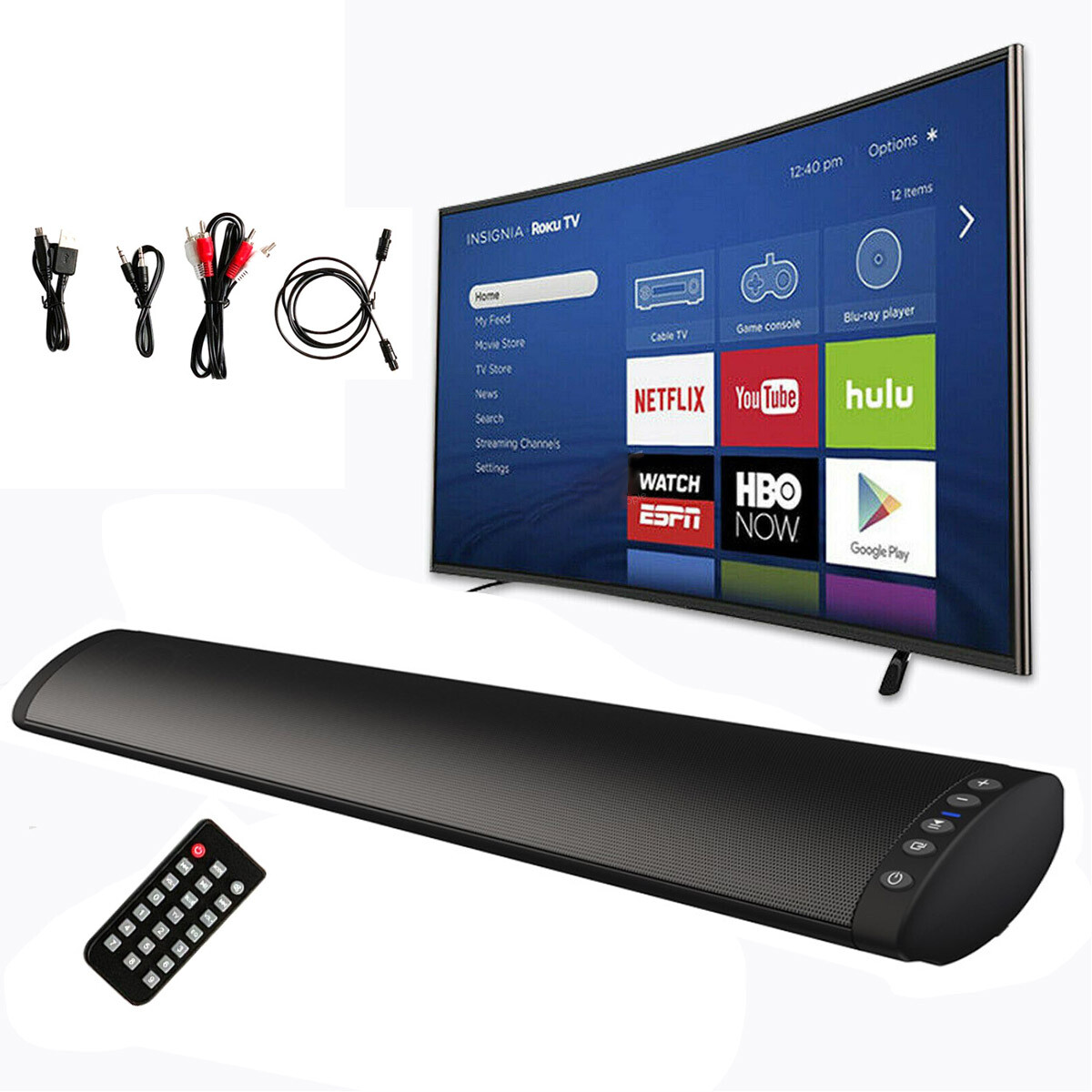
- One major limitation is audio latency. When transmitting sound from a stereo receiver to a Bluetooth speaker via a transmitter, there might be a delay between the audio and video (if used with TVs), which can affect the overall user experience.
- Audio quality can also be compromised compared to wired connections, as Bluetooth uses compression to transmit data. High-quality audio from a receiver might not be fully preserved when converted to a wireless signal.
- Additionally, powering the Bluetooth speaker must be considered. Since receivers do not supply power over speaker wires like they do to passive speakers, the Bluetooth speaker will need its own power source, such as a battery or AC adapter, which may limit placement options within the audio setup.
Can You Pair Bluetooth Speakers for Stereo Sound with a Receiver?

Yes, you can pair Bluetooth speakers for stereo sound with a receiver, but the success and quality of this setup depend on several technical and compatibility factors.
 How Can I Connect Wireless Speakers To My TV
Unlike traditional wired stereo systems, Bluetooth technology has evolved to support stereo pairing, especially with the advancement of protocols like Bluetooth AVRCP (Audio/Video Remote Control Profile) and the introduction of technologies such as Qualcomm's aptX Adaptive and True Wireless Stereo (TWS). However, pairing two Bluetooth speakers as left and right channels via a single receiver requires that both the receiver and the speakers support stereo pairing modes.
Some modern AV receivers or Bluetooth transmitters can send a stereo signal split into left and right channels to two paired speakers, but not all receivers have this capability natively. It is essential to check the specifications of both the receiver and the Bluetooth speakers to ensure they are compatible with stereo configurations.
1. Compatibility Requirements for Stereo Bluetooth Pairing
- The receiver must have Bluetooth output capability with support for dual audio streaming or multipoint connectivity. Many older or budget AV receivers only support single-device Bluetooth output, which limits stereo pairing.
- Both Bluetooth speakers need to support stereo pairing modes, often referred to as TWS mode or stereo pair mode. This allows one speaker to act as the master and the other as the slave, synchronizing audio playback.
- The Bluetooth codec used (such as SBC, AAC, aptX, or aptX Low Latency) affects audio quality and synchronization. For stereo sound, low-latency codecs are preferable to prevent audio delay between the two speakers.
2. Methods to Achieve Stereo Sound with Bluetooth Speakers and a Receiver
- Using a Bluetooth transmitter connected to the receiver's audio output: If the receiver lacks built-in Bluetooth, an external Bluetooth 5.0+ transmitter with dual audio support can send left and right channel signals to two paired speakers.
- Direct pairing with a smart receiver: Some modern AV receivers support direct pairing with two Bluetooth speakers, assigning one as the left channel and the other as the right. This typically requires enabling stereo mode in the receiver's audio settings.
- Using mobile apps or manufacturer software: Brands like JBL, Sony, and Bose provide apps that allow users to pair two compatible speakers in stereo mode, which can then be connected to a Bluetooth-enabled receiver as a single stereo endpoint.
3. Limitations and Challenges in Bluetooth Stereo Setup
- Audio latency and sync issues: Bluetooth transmission can introduce slight delays, especially when streaming high-resolution audio, which may result in noticeable asynchrony between the left and right speakers.
- Signal interference and range limitations: Bluetooth signals are susceptible to interference from walls, other wireless devices, or distance. Maintaining a stable connection for both speakers is critical to preserving stereo integrity.
- Lack of universal standards: Not all manufacturers implement stereo pairing the same way, leading to incompatibility between speakers from different brands or even different models within the same brand.
Can I Add Bluetooth to an Older Stereo Receiver for Wireless Audio?

Yes, you can add Bluetooth to an older stereo receiver for wireless audio. Many vintage or older stereo receivers lack built-in Bluetooth capabilities since the technology wasn’t widely available when they were manufactured. However, this doesn’t mean you’re limited to wired connections.
 How Connect TV To Speakers
By using external Bluetooth adapters or audio transmitters, you can seamlessly integrate modern wireless audio streaming into your classic stereo system. These devices typically connect to your receiver’s auxiliary (AUX) input, phono RCA jacks, or headphone output, turning your non-Bluetooth receiver into a wireless-ready audio hub. The process is usually simple, requires no internal modifications, and preserves the original design of your receiver while enhancing its functionality.
How to Choose the Right Bluetooth Adapter for Your Receiver
- Determine the available input types on your stereo receiver, such as AUX, RCA, or 3.5mm inputs, to ensure compatibility with the Bluetooth adapter.
- Look for a Bluetooth adapter that supports advanced audio codecs like aptX or AAC for higher sound quality, especially if you care about audio fidelity.
- Consider whether you want a model with low latency for synchronized audio during video playback, which is helpful if you also use the receiver for TV or movie sound.
Step-by-Step Guide to Installing a Bluetooth Adapter
- Power off your stereo receiver and locate an available audio input, preferably a line-level input like AUX or CD.
- Connect the Bluetooth adapter’s output (usually RCA or 3.5mm) to the chosen input on the receiver using the appropriate cable.
- Power the adapter (via USB or AC adapter), turn on the receiver, select the connected input source, and pair your smartphone or tablet via Bluetooth settings.
Limitations and Considerations When Adding Bluetooth
- Bluetooth introduces compression to audio signals, which may slightly reduce sound quality compared to lossless wired sources like CDs or turntables.
- The adapter adds another component to your setup, requiring power and space, which might affect the clean look of vintage equipment.
- Some budget adapters may suffer from connection instability, latency issues, or limited signal range, so investing in a reputable brand is recommended.
Can you connect wireless speakers to a stereo receiver without a special adapter?
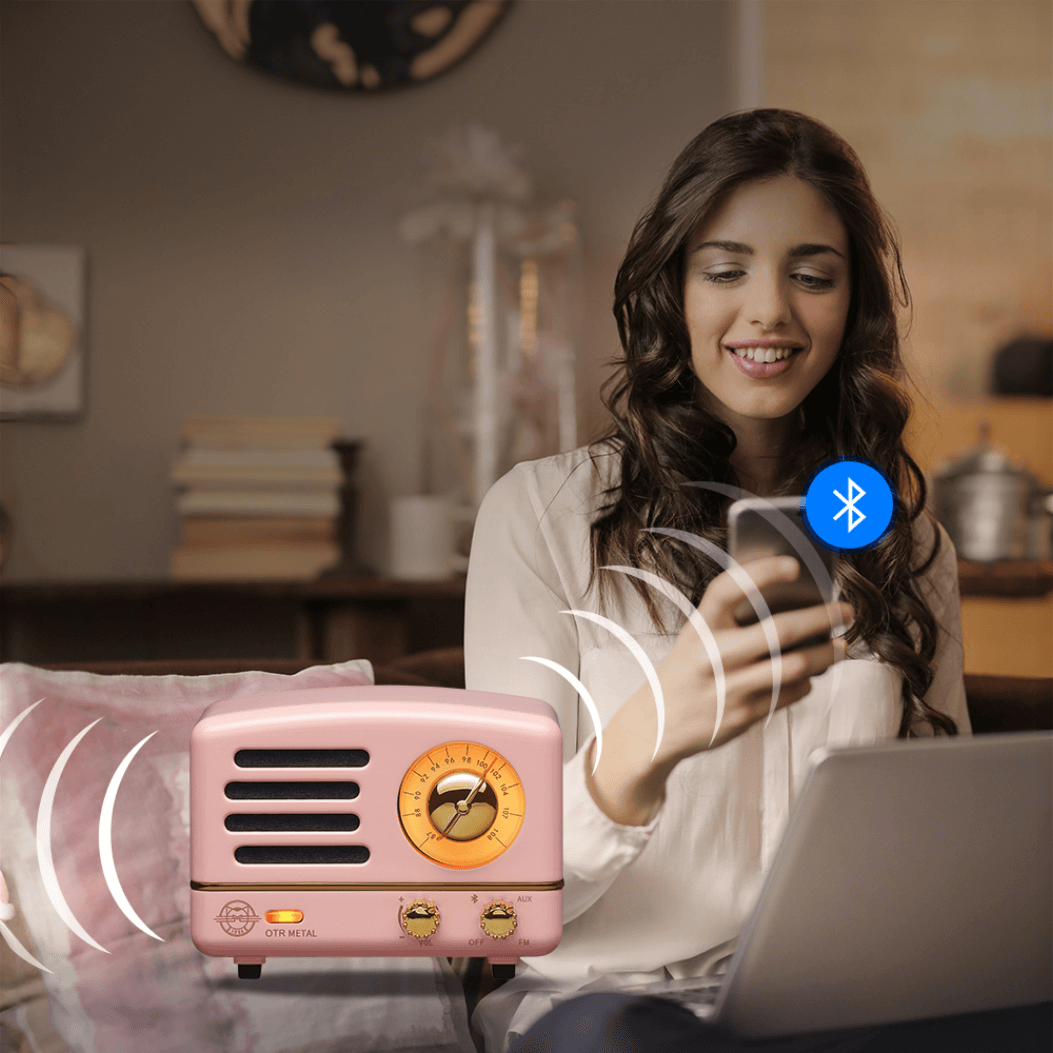
Yes, you can connect wireless speakers to a stereo receiver without a special adapter, but it depends on the capabilities of both the receiver and the speakers. If your stereo receiver has built-in Bluetooth, you can pair it directly with Bluetooth-enabled wireless speakers. Some modern receivers support Wi-Fi or proprietary wireless protocols that allow connectivity with compatible wireless speakers.
However, if your receiver is older and lacks wireless functionality, you will need a wireless transmitter (such as a Bluetooth audio transmitter) that connects to an audio output on the receiver. This device acts as a bridge, sending the audio signal wirelessly to your speakers. In such cases, while no special adapter designed specifically for that receiver is required, an intermediary wireless transmitter is still necessary to enable the connection.
 How Do Banana Plugs Connect To Speakers
Compatible Wireless Technologies Built into Modern Receivers
- Many newer stereo receivers come with built-in Bluetooth, allowing direct pairing with Bluetooth speakers without additional hardware. This eliminates the need for external adapters by enabling wireless communication between the receiver and speaker.
- Some high-end receivers support Wi-Fi streaming via services like AirPlay 2, Chromecast, or DTS Play-Fi, which enables connection to compatible wireless speakers over a home network.
- Receivers with support for proprietary wireless audio systems (such as Yamaha's MusicCast or Denon's HEOS) can connect seamlessly to matching wireless speakers, forming a multi-room audio setup without extra adapters.
Using Third-Party Transmitters with Older Receivers
- If your stereo receiver lacks built-in wireless capabilities, you can use a Bluetooth transmitter that plugs into the receiver’s audio output, such as the headphone jack, RCA, or optical output, depending on available ports.
- These transmitters convert the analog or digital audio signal from the receiver into a wireless Bluetooth signal, which can then be received by standard Bluetooth speakers.
- While not a special adapter made by the receiver manufacturer, this transmitter acts as a universal bridge, enabling wireless connectivity without modifying the original equipment.
Limitations and Considerations for Wireless Connections
- Audio latency can be an issue when using third-party transmitters, especially if the speakers are used for video content, as the delay may cause audio to lag behind the visuals.
- The audio quality depends on the transmitter’s codec support (such as AAC, aptX, or SBC); lower-quality codecs may result in compressed sound compared to direct wired connections.
- Reliability varies based on wireless signal strength and interference from other devices; placing the transmitter and speakers within close range and minimizing obstacles improves performance.
Frequently Asked Questions
Can I connect Bluetooth speakers directly to my stereo receiver?
Most stereo receivers do not have built-in Bluetooth receiver functionality, so you cannot directly connect Bluetooth speakers to them wirelessly. However, you can use a Bluetooth audio transmitter connected to your receiver's audio output (like the headphone or preamp out) to send sound wirelessly to your Bluetooth speakers. Make sure both devices are paired correctly for seamless audio streaming.
What do I need to connect Bluetooth speakers to my stereo system?
You’ll need a Bluetooth transmitter connected to your stereo receiver’s audio output, such as the RCA pre-out or headphone jack. Plug the transmitter into the receiver, pair it with your Bluetooth speakers, and set the receiver to the appropriate output source. Ensure the transmitter and speakers are within range and paired correctly. This setup allows your non-Bluetooth receiver to send audio wirelessly to your Bluetooth speakers.
Why won’t my Bluetooth speakers connect to my stereo receiver?
Your stereo receiver likely doesn’t support Bluetooth input, preventing direct connection. To fix this, use a Bluetooth transmitter linked to your receiver’s audio output. Ensure the transmitter is powered, in pairing mode, and correctly connected via RCA or 3.5mm cable. Also, confirm your Bluetooth speakers are charged, in pairing mode, and within range. Interference or outdated firmware may also cause pairing issues.
Will connecting Bluetooth speakers affect my stereo receiver’s sound quality?
Using a Bluetooth transmitter to connect speakers may slightly reduce audio quality due to wireless compression, especially with older Bluetooth versions or low-quality codecs. However, high-quality transmitters supporting aptX or AAC can minimize loss. The stereo receiver’s output remains unchanged; the difference occurs during wireless transmission. For best results, use modern Bluetooth speakers and a reliable transmitter to maintain clear, balanced sound.
 How Do I Connect 2 Bluetooth Speakers To My iPhone
Leave a Reply