
Bose Speaker Configuration
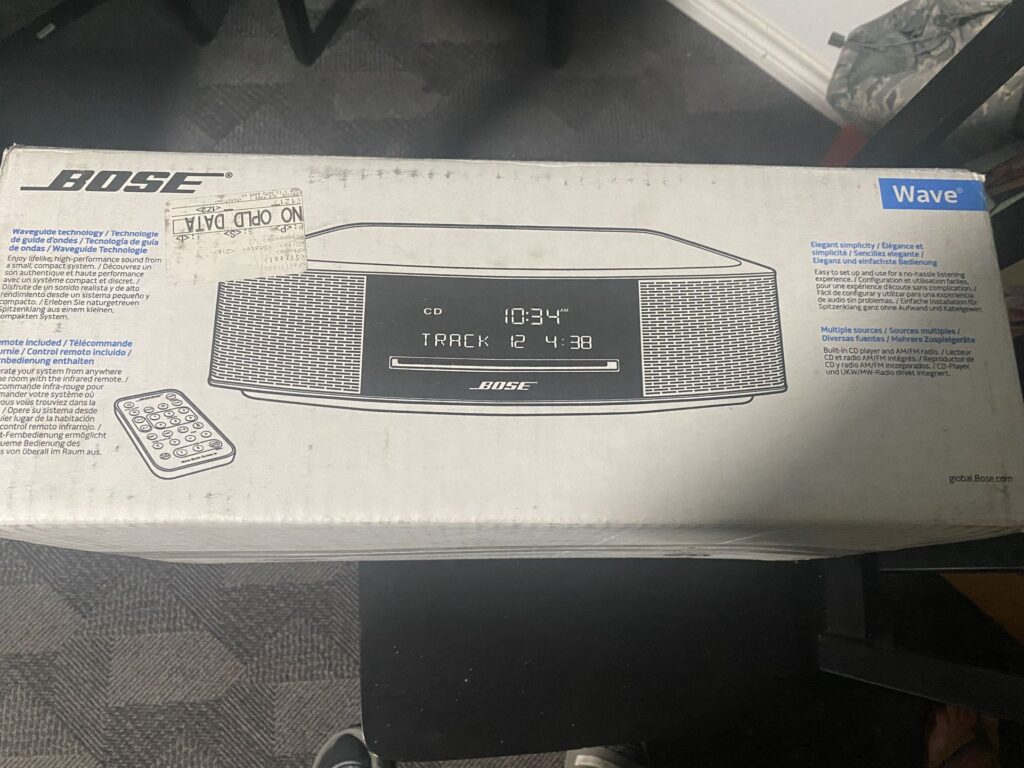
Setting up a Bose speaker system can significantly enhance your audio experience, whether for music, movies, or immersive home entertainment.
Proper Bose speaker configuration ensures balanced sound distribution, optimized acoustics, and seamless connectivity across devices. From selecting the ideal placement to calibrating audio settings through the Bose app, each step plays a crucial role in achieving premium sound quality.
Understanding speaker positioning, room acoustics, and wireless synchronization allows users to tailor the system to their specific environment. With various models offering unique features, configuring your Bose speakers correctly unlocks their full potential, delivering clarity, depth, and rich, room-filling audio tailored to your listening preferences.
 Speaker Configuration Valorant
Bose Speaker Configuration: Optimizing Audio Performance for Every Space
Bose Speaker Configuration refers to the strategic arrangement and setup of Bose audio devices to deliver optimal sound quality in various environments, whether at home, in the office, or within commercial spaces.
Bose, renowned for its innovative acoustic engineering, designs speakers that can be customized through placement, connectivity, and integration with other systems. Proper configuration ensures balanced sound distribution, enhanced bass response, and immersive audio experiences.
This involves understanding room acoustics, selecting appropriate connection methods (wired or wireless), and leveraging Bose’s proprietary technologies like PhaseGuide, PositionIQ, or AdaptIQ to automatically calibrate speakers based on their surroundings. Whether it's a single Soundbar or a multi-room setup using Bose Smart Speakers, effective configuration maximizes both performance and user satisfaction.
Understanding Room Acoustics and Speaker Placement
Proper speaker placement is critical to achieving high-quality sound, and understanding the acoustics of your room plays a key role in Bose speaker configuration. Hard surfaces like glass and wood can cause sound reflections, while soft materials such as carpets and curtains absorb sound, affecting clarity and depth.
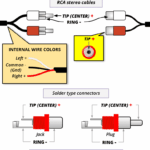 Speaker Wire Configuration
For optimal stereo imaging, Bose recommends positioning left and right speakers at equal distances from the primary listening area, forming an equilateral triangle. In systems like the Bose Lifestyle or Wave, the use of center channel speakers ensures clear dialogue in movies and TV shows.
Additionally, subwoofers should be placed near the front of the room, avoiding corners if bass becomes overwhelming, and can benefit from Bose’s Bass Module integration for deeper low-end performance. Utilizing Bose's built-in calibration tools further refines audio output based on the room’s unique characteristics.
Wireless vs. Wired Connectivity Options
When configuring Bose speakers, choosing between wired and wireless connectivity impacts both convenience and audio fidelity. Wired setups, such as those using Bose's proprietary cables or standard RCA and HDMI connections, offer stable, high-bandwidth transmission ideal for home theater systems like the Bose CineMate.
In contrast, wireless options — including Bluetooth, Wi-Fi, and Apple AirPlay 2 — enable flexible placement and multi-room audio through the Bose Music app. Systems like the Bose SoundTouch and Bose Smart Speakers rely on Wi-Fi for seamless streaming from services like Spotify and Amazon Music.
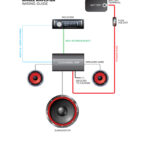 Speaker Wiring Configurations
For professional installations, Bose SoundSpace solutions use Dante-enabled networking to allow scalable, low-latency audio distribution. The key is balancing signal stability, range, and audio quality depending on the environment and usage needs.
Using Bose Calibration Technologies for Precision Tuning
Bose integrates advanced calibration technologies such as AdaptIQ, PhaseGuide, and PositionIQ to automate speaker optimization, ensuring accurate sound reproduction in any space. AdaptIQ Audio Calibration uses a provided headset with a built-in microphone to measure how sound interacts with the room and adjusts frequency response accordingly.
This is especially effective in home theater systems like the Bose Lifestyle 650. PositionIQ, used in portable systems such as the Bose SoundLink Flex, detects the speaker’s orientation (horizontal or vertical) and modifies output for optimal performance.
Meanwhile, PhaseGuide technology, found in Wave systems, directs sound waves across a wide area for consistent audio coverage. These tools simplify configuration and deliver a personalized listening experience without requiring technical expertise.
 TF2 Speaker Configuration
| Feature | Bose Product Examples | Benefits |
|---|---|---|
| AdaptIQ Calibration | Lifestyle 650, Solo TV Soundbar | Automatically adjusts audio to room acoustics for balanced sound |
| PositionIQ Sensor | SoundLink Flex, SoundLink Revolve | Optimizes output based on speaker orientation |
| PhaseGuide Array | Wave SoundTouch 4, Wave 5 | Delivers wide, immersive sound from compact designs |
| Bose Music App | Smart Speaker 500, Home Speaker | Enables wireless control, voice assistant setup, and multi-room sync |
| Dante Networking | Bose SoundSpace, RoomMatch | Professional-grade audio distribution over IP networks |
Bose Speaker Configuration: A Comprehensive Setup Guide
How can I optimize my Bose speaker settings for better sound quality?
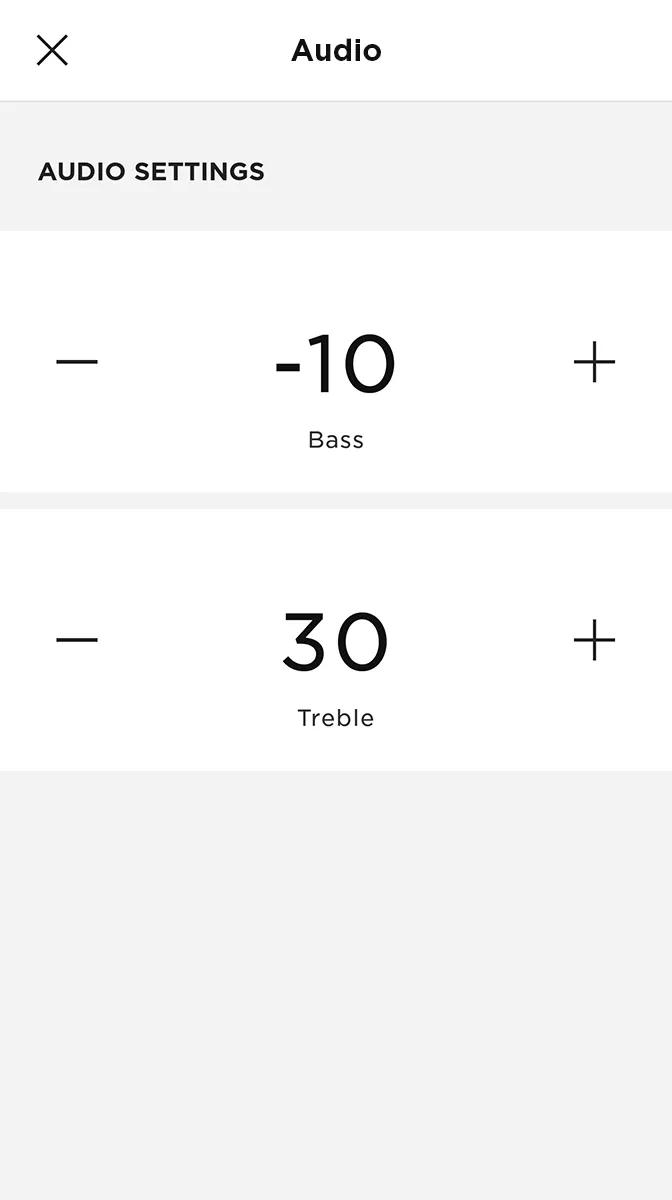
Adjust Equalizer Settings for Balanced Audio
Fine-tuning the equalizer (EQ) settings is one of the most effective ways to improve sound quality on your Bose speaker. Most Bose models come with companion apps like the Bose Connect or Bose Music app, which allow you to manually adjust frequency levels according to your preference and room acoustics.
By customizing the bass, midrange, and treble, you can eliminate muffled sounds or shrill highs and create a clearer, more balanced listening experience. This is especially helpful when playing different music genres that benefit from distinct tonal characteristics.
- Open the Bose Music app and select your connected speaker to access the EQ settings.
- Reduce the treble slightly if high notes sound harsh or distorted, especially at higher volumes.
- Increase the bass moderately for richer low-end response, but avoid over-amplification to prevent distortion.
Optimize Speaker Placement for Room Acoustics
The physical location of your Bose speaker greatly influences its sound performance. Placing the speaker too close to walls, corners, or furniture can cause sound reflections and bass buildup, resulting in uneven audio output.
 Valorant Speaker Configuration
For the best stereo imaging and clarity, position the speaker at ear level and at a reasonable distance from surrounding surfaces. Proper placement helps achieve a more spacious soundstage and minimizes audio interference from room resonances.
- Place the speaker in the center of the room, away from walls and large objects, for even sound dispersion.
- Avoid enclosing the speaker in cabinets or tight spaces, as this can muffle audio and dampen dynamics.
- Elevate the speaker on a stand or shelf at listening height to direct sound straight toward the audience.
Enable Active EQ and Adaptivity Features
Many newer Bose speakers come equipped with built-in technologies such as Active EQ and acoustic adaptation. These features automatically adjust audio output based on volume level and the speaker's environment.
Active EQ enhances low and high frequencies at lower volumes to maintain richness, while adaptation tools analyze the room and tailor the sound profile accordingly. Enabling these settings ensures consistent sound quality regardless of listening conditions.
- Check your Bose app settings to verify that Active EQ is turned on, usually found under Sound or Audio Preferences.
- Run the room tuning feature if your model supports it, such as with Bose Smart Speakers, to optimize output for your space.
- Ensure your speaker’s firmware is up to date, as updates often include performance improvements and enhanced adaptive algorithms.
Frequently Asked Questions
How do I connect my Bose speaker to a Wi-Fi network?
To connect your Bose speaker to Wi-Fi, download the Bose Music app and follow the setup instructions. Power on the speaker, open the app, and select Set up a new device. Choose your speaker model, then follow the prompts to connect it to your Wi-Fi network. Ensure your mobile device is on the same network. The app will guide you through the entire configuration process seamlessly.
 Valorant Speaker Configuration Mono Or Stereo
Can I pair multiple Bose speakers together?
Yes, you can pair multiple Bose speakers using the Bose Music app. Open the app, go to Settings, and select Add speaker or Create a group. Choose the speakers you want to pair and follow the instructions. Stereo pairing or multi-room groups can be created depending on the model. This allows synchronized playback across rooms or enhanced left/right channel audio for a richer sound experience.
What is the difference between Bluetooth and Wi-Fi connectivity on Bose speakers?
Bluetooth allows direct wireless connection between your device and the Bose speaker, ideal for short-range use. Wi-Fi enables streaming from online services, multi-room audio, and higher-quality sound via network connection. Wi-Fi also supports voice assistants and remote control via the Bose Music app. While Bluetooth is convenient, Wi-Fi offers broader functionality and better integration with smart home systems.
How do I update the software on my Bose speaker?
Software updates for Bose speakers are managed through the Bose Music app. Ensure your speaker is powered on and connected to Wi-Fi. Open the app and check the Settings section for your device. If an update is available, the app will prompt you to install it. Updates typically improve performance, add features, and enhance security. Keep your app and speaker connected to Wi-Fi to receive the latest firmware automatically.
Leave a Reply