
How To Connect In Ceiling Speakers To TV
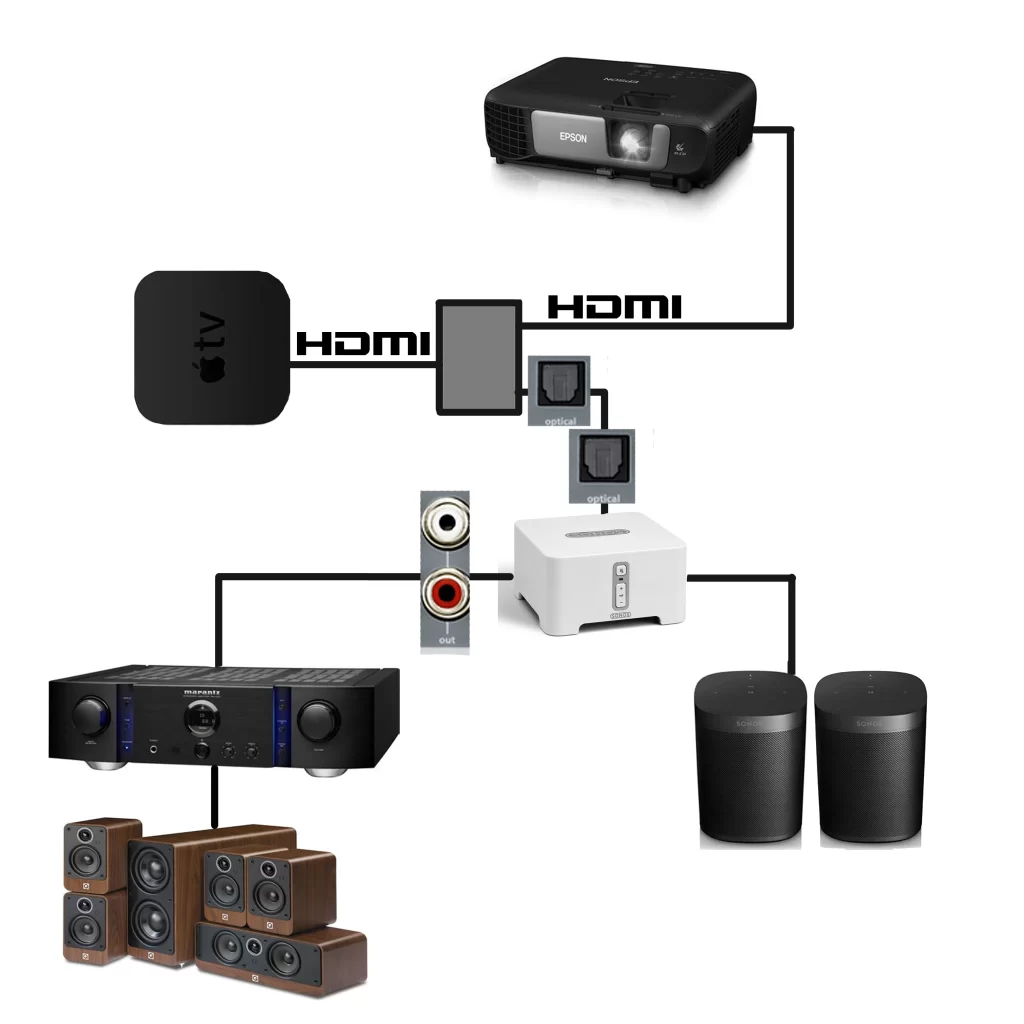
Connecting in-ceiling speakers to your TV can transform your home entertainment experience by delivering immersive, high-quality audio without cluttering your living space.
While it may seem complex, the process involves a few key steps: selecting the right speakers, running speaker wire through walls or ceilings, choosing an appropriate audio receiver or amplifier, and properly configuring the audio output settings on your TV.
With careful planning and the right equipment, you can achieve a clean, seamless setup that enhances both sound and aesthetics. This guide will walk you through each step, ensuring optimal performance and a professional result for your home theater or living room audio system.
 How To Connect A Subwoofer To Speakers
How To Connect In-Ceiling Speakers To TV
Connecting in-ceiling speakers to your TV enhances your home theater experience by providing immersive, high-quality audio without cluttering your living space with visible equipment. While many modern TVs come with built-in speakers, they often lack depth, clarity, and bass response.
In-ceiling speakers deliver superior sound distribution, making them ideal for movies, music, and gaming. The process involves selecting the right equipment, running speaker wires through walls or ceilings, and connecting everything properly to ensure optimal audio performance.
Whether you're setting up a dedicated media room or upgrading your living room entertainment system, integrating in-ceiling speakers with your TV can dramatically improve audio immersion. Below are key steps and considerations to help you complete this setup successfully and safely.
Selecting the Right Audio Equipment
To connect in-ceiling speakers to your TV, you'll need more than just speakers—your setup must include an AV receiver or an audio amplifier capable of decoding TV audio signals and sending amplified sound to the speakers.
 How To Connect A TV To Bluetooth Speakers
Most TVs do not provide enough power output directly to drive passive in-ceiling speakers, which is why an external amplifier or receiver is essential. When choosing an AV receiver, ensure it supports the impedance (usually 4–8 ohms) and sensitivity (measured in dB) of your in-ceiling speakers.
Additionally, verify that the receiver has proper input options such as HDMI (ARC/eARC), optical audio, or RCA inputs to connect to your TV. If you prefer a simpler setup, consider active (powered) in-ceiling speakers with built-in amplifiers, though these are less common. Matching your equipment specifications ensures clear, distortion-free sound and protects your investment.
Running Wires and Planning Speaker Placement
Proper wiring and speaker placement are crucial to achieving balanced and immersive sound from in-ceiling speakers. Before installation, plan the layout based on your room size, shape, and seating position.
For stereo sound, place the left and right speakers at a 22–30 degree angle from the primary listening area. For surround sound systems, add center, surround, and rear speakers following standard 5.1 or 7.1 audio configurations. Use CL2 or CL3-rated speaker wire, which is safe for in-wall and in-ceiling installations.
 How To Connect Altec Lansing Speakers
Carefully run the wires from the AV receiver location to each speaker position, either during new construction or using fish tape and wall/ceiling drilling techniques in existing homes. Avoid running speaker cables near electrical wiring to reduce interference. Secure wires with staples (not too tight) and leave 18–24 inches of excess wire at each end for easy connectivity.
Connecting Speakers to the TV via Receiver
Since TVs lack direct high-powered speaker outputs, you must route the audio signal from the TV to an AV receiver, which then powers the in-ceiling speakers. Begin by connecting your TV to the AV receiver using an HDMI cable with ARC (Audio Return Channel) support—this allows high-quality audio transmission, including Dolby Digital, and simplifies control using one remote.
If your TV and receiver lack HDMI ARC, use an optical audio cable as an alternative. Next, connect the in-ceiling speakers to the corresponding output terminals on the receiver (front left, front right, etc.), ensuring correct polarity: positive (+) on the receiver connects to positive on the speaker.
After all physical connections, power on the devices and configure the audio settings in the TV and receiver menus—select the correct input source and run any available auto-calibration (like Audyssey or YPAO) to optimize sound. Testing each speaker channel ensures proper connectivity and balance.
 How To Connect Amp To Car Speakers
| Connection Method | Cable Type | Audio Quality | Best For |
|---|---|---|---|
| HDMI ARC/eARC | HDMI | Dolby Atmos, DTS:X, up to 7.1 surround | Modern home theater systems |
| Optical Audio (TOSLINK) | Fiber optic | Up to 5.1 surround (compressed) | Older TVs and receivers |
| RCA Analog | RCA cables | Stereo (2.0) only | Basic setups with older equipment |
| Speaker Wire (to receiver) | CL2/CL3 copper wire | Lossless audio transmission | All passive speaker installations |
How to Connect In-Ceiling Speakers to Your TV: A Step-by-Step Guide
How to properly connect in-ceiling speakers to a TV for optimal sound?
Choosing the Right Audio Receiver or Amplifier
- Select an AV (audio/video) receiver that supports your in-ceiling speaker impedance and power requirements, typically ranging from 6 to 8 ohms and 50 to 150 watts per channel, to ensure stable and safe operation.
- Ensure the receiver has enough available channels for your speaker setup—for example, a 5.1 or 7.1 configuration—and supports modern audio formats like Dolby Atmos if immersive sound is desired.
- Verify that the receiver includes HDMI input with Audio Return Channel (ARC) or eARC for seamless integration with your TV, allowing audio to be sent from the TV back to the receiver without the need for additional audio cables.
Wiring and Connecting the Speakers Properly
- Run speaker wire from the AV receiver location to each in-ceiling speaker location using CL2 or CL3-rated cable, which is designed for in-wall and in-ceiling installations and meets fire safety codes.
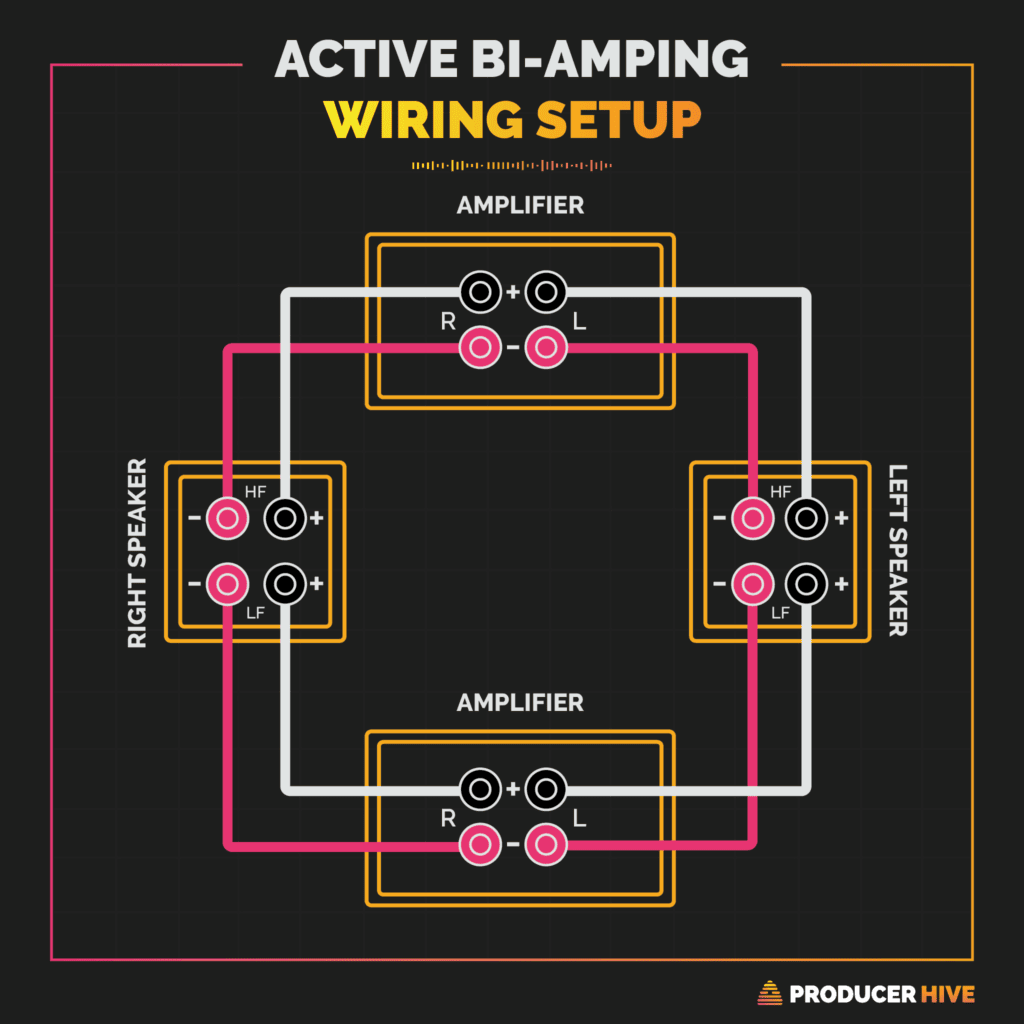
- Connect the positive (+) terminal on the receiver to the positive terminal on each speaker, and do the same for the negative (-) terminals, ensuring polarity is consistent across all speakers to maintain proper sound phase.
- Use banana plugs or direct wire connections to securely attach the wires to the speaker binding posts, tightening them appropriately to prevent loose connections that can degrade sound quality or cause damage over time.
Calibrating and Optimizing Speaker Performance
- Run the receiver's built-in auto-calibration system (such as Audyssey, YPAO, or Dirac) using the provided microphone to measure each speaker's output and adjust volume levels, distance, and equalization for balanced sound.
- Manually fine-tune speaker settings in the receiver’s menu, adjusting crossover frequencies so that low frequencies are redirected to a subwoofer (if present) and in-ceiling speakers handle mid and high frequencies efficiently.
- Test the system with various content—movies, TV shows, and music—to evaluate sound coverage and clarity, making small adjustments to angle adjustable tweeters (if available) or reposition audio sources to enhance the listening experience in the primary seating area.
How to connect ceiling speakers to a TV for audio playback?

Choosing the Right Audio System and Compatibility
- Start by verifying if your ceiling speakers are active (powered) or passive (require an external amplifier). Passive speakers need to be connected to a receiver or amplifier, while active ones have built-in amplification and may support direct audio inputs.
- Check your TV’s audio output options—most modern TVs offer HDMI ARC (Audio Return Channel), optical audio (TOSLINK), or analog audio outputs. Ensure your amplifier or receiver supports one of these input types to maintain compatibility.
- Verify that your ceiling speaker impedance (usually 4 to 8 ohms) matches the amplifier’s output specifications. Mismatched impedance can cause poor sound quality or damage the equipment over time.
Wiring and Connecting the Components
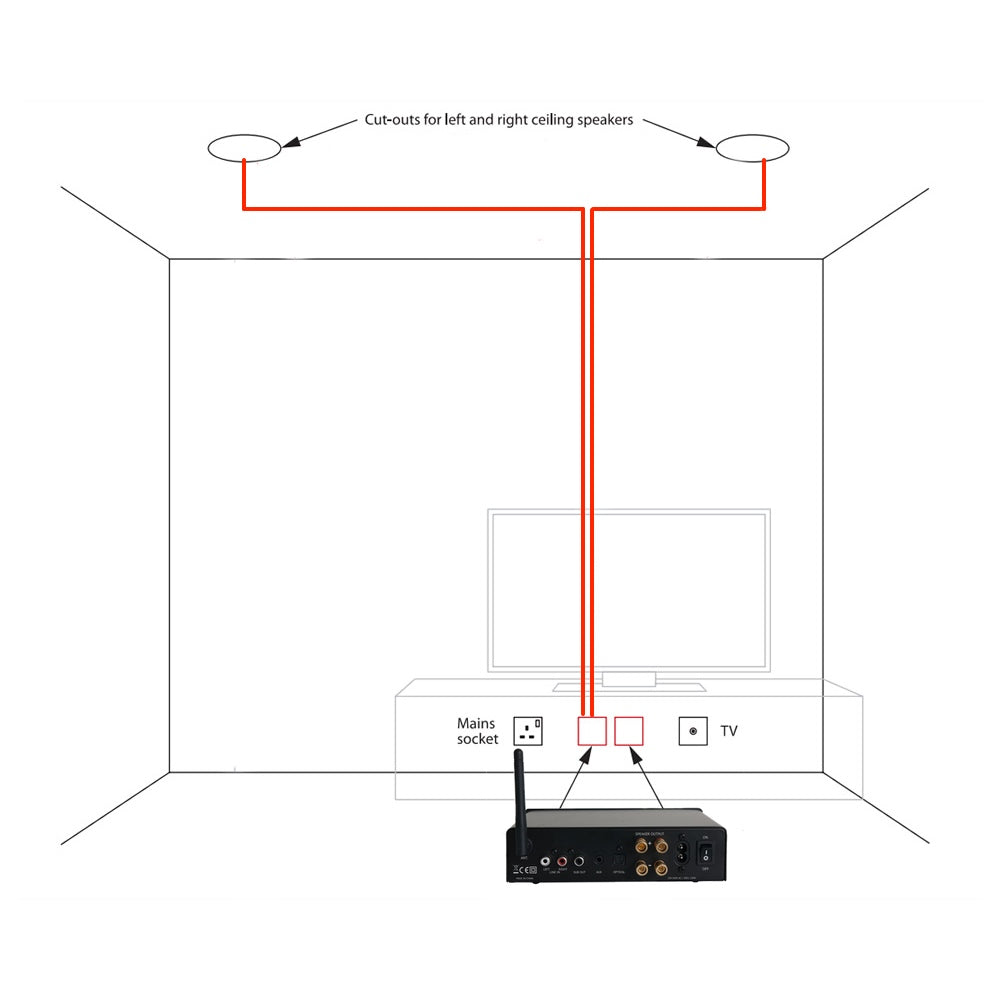
- Run speaker wires from the amplifier or AV receiver to each ceiling speaker location. Plan the wire path carefully through walls or ceilings, using appropriate tools like fish tapes and drilling holes if necessary, while following local building codes.
- Connect the speaker wires to the amplifier's output terminals, matching positive (+) and negative (–) wires to the correct terminals on both the amplifier and the speakers to maintain proper polarity.
- Use high-quality copper speaker wire with adequate gauge (typically 14- or 16-gauge for home installations) to minimize signal loss, especially over longer distances between the amplifier and ceiling speakers.
Configuring Audio Output from the TV
- Connect the TV to the amplifier or receiver using an HDMI ARC cable or an optical audio cable, depending on available ports. HDMI ARC is preferred for higher audio quality and bidirectional communication between devices.
- Access the TV’s audio settings menu and change the audio output to “HDMI ARC” or “Optical,” then disable the internal TV speakers to ensure sound is routed only through the ceiling speakers.
- Test the setup by playing audio from a built-in app or connected device, and adjust the amplifier settings (such as balance, volume, and equalization) to match your room acoustics and listening preferences.
How to Connect In-Ceiling Speakers to a TV Without an Amplifier?
Understanding TV Audio Output Limitations
- Most modern TVs come with built-in audio outputs such as HDMI ARC (Audio Return Channel), optical audio (TOSLINK), or 3.5mm headphone jacks, but they are not designed to directly power passive in-ceiling speakers. These outputs typically send line-level signals, which lack the necessary power to drive speakers efficiently.
- Passive in-ceiling speakers require an amplifier to convert the low-voltage audio signal from the TV into a stronger signal capable of moving speaker cones and producing sound. Without amplification, connecting them directly may result in no sound or extremely low volume.
- Some TVs do have speaker outputs, but these are rare and usually limited to very basic audio performance. Even in such cases, the internal circuitry is not robust enough to handle the impedance and power demands of multiple in-ceiling speakers over extended periods.
Using Audio Converters and Built-In Amplified Devices
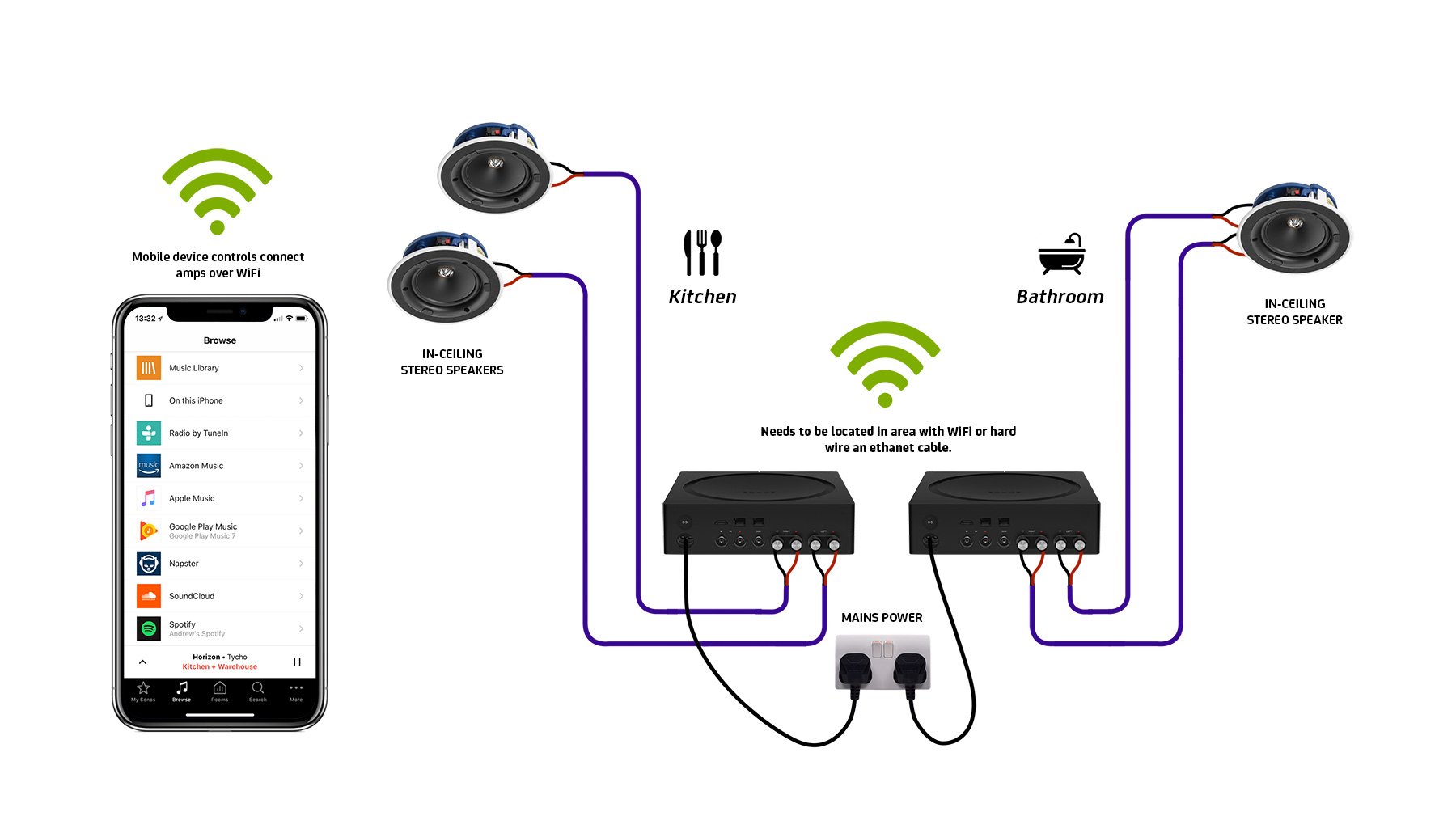
- To connect in-ceiling speakers without a traditional external amplifier, you can use an audio converter that includes built-in amplification, such as a Bluetooth audio transmitter with an amplifier circuit or a digital-to-analog converter (DAC) paired with a small powered audio receiver.
- Devices like the Sonos Amp or a powered AV receiver allow you to connect your TV via HDMI ARC or optical cable and provide the necessary power to drive in-ceiling speakers. These units combine signal decoding and amplification in one compact system.
- Another option is using powered speaker controllers or wall-mounted amplifiers specifically designed for architectural speakers. These devices accept low-level audio inputs from the TV and deliver amplified output directly to the in-ceiling speakers, eliminating the need for a separate amplifier unit.
Wiring and Installation Considerations
- Begin by running speaker wire from your TV location or audio device to each in-ceiling speaker. Use CL2-rated cable for in-wall and in-ceiling installations to meet fire safety standards and ensure signal integrity over long runs.
- Connect the positive and negative terminals of the speakers to the corresponding amplifier or powered device output terminals, ensuring polarity consistency across all speakers to maintain proper phase alignment and sound quality.
- If your setup includes an HDMI ARC connection from the TV to a powered receiver, use high-speed HDMI cables to support audio return and ensure compatibility. Test the system with various content types—dialogue, music, and surround effects—to verify clear and balanced sound distribution throughout the room.
Frequently Asked Questions
How do I connect in-ceiling speakers to my TV using an AV receiver?
Connect in-ceiling speakers to your TV using an AV receiver by running speaker wires from the ceiling to the receiver. Match positive and negative terminals on both ends. Connect your TV’s audio output (optical or HDMI ARC) to the receiver. Power on all devices, set the correct input on the receiver, and configure speaker settings in the receiver’s menu for optimal sound performance.
 How To Connect Audio-Technica To Speakers
Can I connect in-ceiling speakers to my TV without a receiver?
Yes, you can connect in-ceiling speakers to a TV without a receiver using a speaker amplifier or audio converter. Use a TV with speaker-level outputs or an HDMI ARC to analog audio converter. Then connect the amplifier to the speakers using proper wiring. However, most modern setups require a receiver or amplifier for proper impedance matching and power delivery to avoid damaging the TV or speakers.
What type of wiring do I need for in-ceiling speakers connected to a TV?
Use 14 or 16-gauge speaker wire for in-ceiling speakers, rated CL2 or CL3 for in-wall safety and performance. The wire runs from the AV receiver or amplifier to each speaker enclosure. Ensure polarity is consistent—positive to positive, negative to negative. Avoid running speaker wires near electrical cables to prevent interference. Use wall plates and properly labeled wires for easier future maintenance and connections.
Do I need an amplifier if I'm connecting in-ceiling speakers to my TV?
Yes, most TVs lack the power to drive in-ceiling speakers directly, so an amplifier or AV receiver is necessary. The amplifier boosts the audio signal and ensures proper distribution to multiple speakers. Passive in-ceiling speakers require external amplification, while active models have built-in amplifiers. Always match your amplifier’s power output to the speakers’ impedance and power handling ratings to ensure compatibility and prevent damage.
 How To Connect Bluetooth Speakers To Roku TV
Leave a Reply